Best CPU and GPU Combos for Gaming in 2026 (1080p, 1440p & 4K)
Some links in this guide are affiliate links - we may earn a commission at no extra cost to you.
Pairings and scores below are current as of September 2026 and updated from our live hardware database - free to reference with a link to bottleneckpc.com. Check the bottleneck checker for any specific combo.
The most expensive mistake in a gaming build almost never shows up on the receipt. You can spend every dollar you planned to and still end up with a machine that runs worse than a cheaper one, because the two parts that matter most - the CPU and the GPU - were never matched to each other. Pour the budget into a monster graphics card and starve it with a weak processor and it sits half-idle, waiting on frames the CPU can't feed it. Do the reverse and you've paid for cores that never wake up. Balance is not a nice-to-have. It is the whole game.
What makes 2026 tricky is that "balanced" moves with your resolution. At 1080p the CPU does a bigger share of the work, so a slow chip caps your frame rate no matter how strong the card. At 4K the GPU carries roughly 80% of the load, and almost any modern mid-range CPU keeps up - which is exactly why a $450 gaming chip can be overkill on a pure-4K box and essential on a 1440p high-refresh one. The right pairing is the one tuned to the screen you actually play on, not the one with the biggest numbers.
The good news: the lineup itself is strong. AMD's X3D chips are the gaming CPUs to beat, Intel's Arrow Lake refresh is finally competitive, and there's a sensible GPU at every rung. The bad news is that the memory crisis has inflated the total cost of every build even though it hasn't changed which CPU belongs with which GPU. So the pairings below are the durable part - get those right, buy when your target parts are in stock, and let the market do what it will.
July 2026 update: The market turned hostile fast. RTX 5070 Ti production is reportedly ending, AMD confirmed a ~10% Radeon price hike landing this month, and the RTX 5090 - which spent spring leaking toward $5,000 - has eased back to about $3,600 on our daily tracking, the one price in this list moving in your favor. Meanwhile RAM prices are 4-5x their late-2025 levels, which inflates every total-build cost even though it does not change which CPU pairs with which GPU. Practical read: the pairings below still hold, but if your target card is in stock near the prices listed, buying this week beats waiting - the direction of travel is up. RAM strategy is covered in our buy-now-or-wait breakdown. September update: every 5090 SKU we track has since gone dead, and the retail listings that exist run $6,700-9,600.
How we rank: every pairing here comes out of our live hardware database, where each CPU and GPU carries a 0-100 gaming score. We treat a combo as balanced when the two parts land within about 15 points of each other, then sanity-check the result through the same bottleneck engine that powers our calculator - resolution-weighted, so a combo that balances at 1440p isn't assumed to balance at 1080p. Prices are what the parts actually sell for this week, not MSRP.
The short version: for most people the best all-around combo in 2026 is the RTX 5070 fed by a Ryzen 5 9600X - about $1,080 for the two parts, dead-balanced at 1440p, with neither one leaving the other waiting. Everything below is the same idea scaled up or down for your budget and resolution.
Best CPU + GPU Combos at a Glance
These are the balanced picks pulled straight from our hardware database. Free to cite with a link to bottleneckpc.com.
| Tier | Best CPU + GPU Combo | Resolution | Approx. Pair |
|---|---|---|---|
| Budget | RX 7600 + Ryzen 5 5600 | 1080p | ~$350 |
| Sweet spot | RTX 5070 + Ryzen 5 9600X | 1440p | ~$1,080 |
| High-end | RTX 5080 + Ryzen 7 9800X3D | 4K | ~$1,700 |
| Enthusiast | RTX 5090 + Ryzen 9 9950X | 4K Max | ~$7,000 |
Prices are for the GPU and CPU together, not a full build. Every combo below is balanced so neither part holds the other back - the full breakdown by budget follows.
Already own one half of the combo? Skip ahead - the Best GPU for Your CPU and Best CPU for Your GPU quick-answer sections below cover the most-asked parts directly, with the engine's verdict for each. We also keep ranked, live-priced lists for every popular chip (i5-12400F, Ryzen 5 7500F, Ryzen 7 9700X, Ryzen 7 9800X3D, and more) - or run your exact combo through the bottleneck checker.
2026 GPU + CPU Pairings at a Glance
RX 7600 + Ryzen 5 5600
RTX 4060 + i5-12400F
Arc B580 + Ryzen 5 5600
RTX 4060 + Ryzen 5 7600
RTX 4070 Super + Ryzen 7 7800X3D
RX 9070 XT + Ryzen 7 9700X
RX 7800 XT + Ryzen 5 7600X
RTX 5060 Ti + i5-14400F
RTX 5080 + Ryzen 7 9800X3D
RX 7900 XTX + Ryzen 7 7800X3D
RTX 4080 Super + i7-14700K
RTX 5070 Ti + Ryzen 7 9800X3D
RTX 5090 + Ryzen 9 9950X
RTX 4090 + i9-14900K
RX 7900 XTX + Ryzen 9 9950X
RTX 5090 + i9-14900K
Budget Tier ($200-400 GPU)
The budget bracket is where balance is easiest to get wrong in the opposite direction from what people expect. At 1080p - where nearly every build in this tier lives - the CPU carries more of the load than it will at any higher resolution, so the temptation is to spend up on the chip. Resist it. The RX 7600 simply isn't fast enough to expose the extra frames an expensive CPU would unlock, which is why the Ryzen 5 5600 is the right partner and an X3D chip here would be money set on fire. Six cores and twelve threads feed this card with headroom to spare.
The real ceiling is the card's 8GB of VRAM, not the pairing. At 1080p high in most current games it holds a comfortable 60+ FPS, but the heaviest 2025-2026 titles will make you trim textures a notch. What you get in exchange is the cheapest genuinely balanced build going: the 5600 rides the bargain-basement AM4 platform with DDR4, and with DDR5 prices where they are that platform saving is bigger than usual. This is the first-build combo - it does the job and nothing about it is holding anything else back.
Two worthwhile variations. Swap the card for an Intel Arc B580 and you get 12GB of VRAM at roughly the same money, which ages better than any 8GB option down here - keep the 5600 and it stays the cheapest competent build you can assemble. If you'd rather buy into a platform with a real upgrade path, an RTX 4060 + Ryzen 5 7600 puts you on AM5 for a bit more up front, with DLSS on tap and a socket that'll take future Ryzen chips. An RTX 4060 + Intel Core i5-12400F is the low-power, DLSS-friendly alternative if you find the Intel side cheaper.
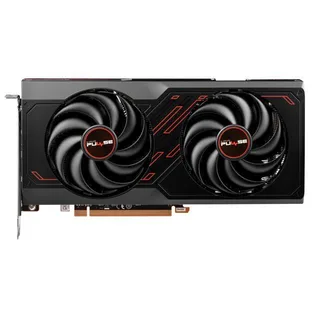
Budget 1080p pairing: + Ryzen 5 5600
AMD RX 7600
The lowest-cost balanced 1080p combo - a Ryzen 5 5600 on bargain AM4 keeps the whole platform under budget. ~$350 the pair.
Mid-Range Tier ($400-700 GPU)
This is the combo we point most people to, and it's the cleanest value in the whole guide. The RTX 5070 (gaming score 82) is NVIDIA's current-gen 1440p workhorse, and the Ryzen 5 9600X (88) sits just six points away - textbook balance. At 1440p the workload tilts about 60/40 toward the GPU, so the card is the part doing the heavy lifting and a mid-range Ryzen 5 keeps up without breaking a sweat. The 9600X also draws only 65W, which means a quiet 550W PSU and a basic cooler finish the build cheaply.
Here's the honest nuance on where each part gives out. At 1440p the 5070 is the limiter, which is exactly how it should be - you're getting full value from the card. The only scenario where the 9600X becomes the bottleneck is if you drop to 1080p and chase 240Hz competitive frame rates, and that's the one case where an X3D chip pulls meaningfully ahead. For everyone playing 1440p high-refresh, the extra cache would sit unused, so the 9600X is the smart spend. The card's watch-item is its 12GB of VRAM: plenty today, but the spec most likely to feel tight in 2027-2028, which is worth knowing if you plan to keep it a long time.
If you want more raster per dollar and a bigger memory buffer, the RX 9070 XT + Ryzen 7 9700X is the all-AMD step up - 16GB and more frames in non-ray-traced games, still perfectly balanced. Chasing high refresh on a budget X3D chip? An RTX 4070 Super + Ryzen 7 7800X3D is a proven 1440p machine. The RX 7800 XT + Ryzen 5 7600X leans on 16GB of value VRAM without needing an X3D chip to feed it, and an RTX 5060 Ti 16GB + Intel Core i5-14400F is the pick if ray tracing matters more to you than raw frames.
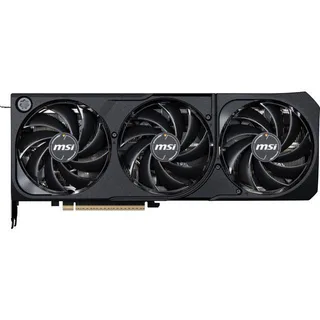
Sweet spot: + Ryzen 5 9600X
NVIDIA RTX 5070
The one we'd build first - a 65W Ryzen 5 9600X feeds it perfectly for balanced 1440p. ~$1,080 the pair.
High-End Tier ($700-1200 GPU)
At 4K the GPU shoulders roughly 80% of the work, so the obvious question about the RTX 5080 + Ryzen 7 9800X3D pairing is why bother with a $450 gaming chip when almost any modern CPU keeps up at that resolution. The answer is three-fold. The 3D V-Cache holds up your 1% lows in CPU-heavy sims and strategy titles where average FPS hides the stutter; it lets the same box double as a 1440p high-refresh monster where the CPU matters much more; and it guarantees the processor won't be the weak link when you drop a faster GPU in next generation. The 9800X3D never bottlenecks the 5080 at any resolution - that headroom is the point, not waste.
The 5080 itself is the cheapest card that plays modern games at 4K with ray tracing on and still holds a comfortable frame rate, backed by 16GB of GDDR7. Paired this way, neither part is waiting on the other: at 4K the card is always the limiter (correct), and the CPU has performance in reserve. It's the one-and-done build for someone who wants 4K 60+ today and 1440p at very high refresh whenever they feel like it.
There's a fair counter-argument worth naming: if you only ever play at 4K and never touch high-refresh 1440p, a non-X3D chip like a 9700X saves you real money without costing frames the GPU was going to cap anyway. For most buyers the X3D's upgrade-proofing wins, but it's a legitimate call. Elsewhere in this tier, the RX 7900 XTX + Ryzen 7 7800X3D is the 24GB all-AMD 4K value play; the RTX 4080 Super + Intel Core i7-14700K is built for gaming-plus-streaming, its E-cores absorbing OBS while the P-cores hold your frame rate; and the RTX 5070 Ti + Ryzen 7 9800X3D is arguably the best price-to-performance combo of the whole tier.
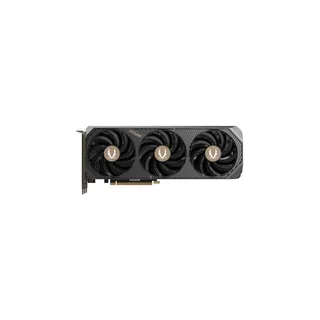
4K pairing: + Ryzen 7 9800X3D
NVIDIA RTX 5080
The gaming-champion 9800X3D behind the cheapest real 4K card - upgrade-proof and never CPU-limited. ~$1,700 the pair.
Enthusiast Tier ($1200+ GPU)
The RTX 5090 is the rare card fast enough to flip the usual 4K logic on its head. It's powerful enough that in some titles it can actually run into a CPU wall even at 4K - the one resolution where a top-tier processor stops being optional at the very high end. The Ryzen 9 9950X answers that with 16 cores, ensuring zero CPU bottleneck at any resolution while doubling as a genuine workstation for rendering, editing, and compiling. Its 32GB of VRAM is overkill for games but a real draw for local AI work.
One honest wrinkle: for pure gaming, the 9800X3D is actually the faster chip thanks to its cache, so a gaming-only enthusiast should pair the 5090 with the X3D instead. The 9950X earns its slot the moment you add heavy multitasking or content creation to the mix - that's the trade you're making, more all-round cores versus peak gaming frames. Either way the pairing is disproportionate to what the money buys in raw performance, which is the nature of the halo tier: it's not sold to be sensible, it's sold to be the best.
For the Intel-loyal, an RTX 5090 + Intel Core i9-14900K delivers the same do-everything, workstation-class result on a platform you may already own. An RX 7900 XTX + Ryzen 9 9950X is the anti-NVIDIA-tax all-AMD endgame with 24GB and 16 cores for anything you throw at it. And if you already have or find a good deal on an RTX 4090, pairing it with an Intel Core i9-14900K still handles 4K like it's nothing and keeps you set for years.
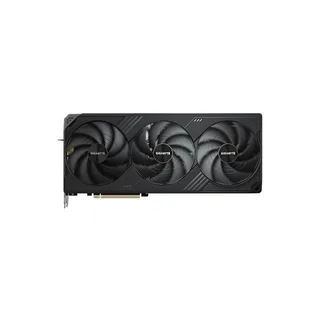
No-compromise: + Ryzen 9 9950X
NVIDIA RTX 5090
The fastest consumer GPU with 16 cores behind it - zero CPU bottleneck plus real workstation muscle. North of $6,500 for the card where one is findable at all, so ~$7,000 the pair.
Best GPU for Your CPU: 2026 Pairing Quick Answers
Most people don't shop by tier - they're holding a specific chip and want its match. So here are the direct answers for the CPUs we get asked about most. Every verdict below comes out of the same resolution-weighted bottleneck engine that powers our calculator, using this week's prices: the percentage is how much one part holds back the other in that combo, and anything under about 10% is balanced.
Best GPU for the Intel Core i5-12400F in 2026
The RTX 5060 is the answer for 1080p on paper - our engine rates the combo balanced at 0-5% - but it has no in-stock first-party listing on our tracker right now (last seen ~$410, list $349.99), so the ~$560 pair total is a where-you-can-find-it number. The RTX 5060 Ti pairs literally dead even (0%), but its one live listing is a ~$830 scarcity ask, which is 5070 money. On a tighter budget the RX 7600 at ~$240 runs card-limited (9-15%), which at this money is the right direction to lean. The ceiling is an RTX 5070 at 1440p (0-6%) - past that you're paying for frames the 12400F can't feed. Full ranked list: best GPU for the i5-12400F, or run your exact combo.
Best GPU for the Intel Core i5-14400F in 2026
Same story one rung up: the RTX 5060 Ti balances at 1440p (0-6%, ~$1,010 the pair at its current one-listing scarcity ask) and the RTX 5070 is nearly perfect (0-2%, ~$1,040) if you want real 1440p headroom - at today's prices the 5070 is the one to buy. The 14400F at ~$180 is quietly one of Intel's best value gaming chips right now. Ranked list: best GPU for the i5-14400F · check it.
Best GPU for the Ryzen 5 7500F in 2026
At ~$120 (last seen - no live listing on our tracker) the Ryzen 5 7500F is the value king of AM5, and it punches way above its price tag: a RTX 5060 Ti at 1080p (0-6%) is the natural match, but the engine says it will feed an RX 9070 at 1440p (0-5%) without breaking a sweat - a ~$710 pair that embarrasses builds costing hundreds more. Ranked list: best GPU for the Ryzen 5 7500F · check it.
Best GPU for the Ryzen 7 7700 in 2026
The RTX 5070 at 1440p (0-5%, ~$1,070 the pair) is the clean match. Prefer more VRAM for the money? The RX 9070 also balances (0-10%) with 16GB. Ranked list: best GPU for the Ryzen 7 7700 · check it.
Best GPU for the Ryzen 7 5700X3D in 2026
Two different answers depending on whether you own it. If it's already in your board: the RTX 5070 (0-2% at 1440p) or RX 9070 (0-7%) are excellent partners and a worthy send-off for AM4. If you're thinking of buying one today: don't. Discontinued AM4 X3D chips are scarcity-priced - the 5700X3D, where still listed, asks around $450, more than the faster 5800X3D and nearly enough for a whole 7600X-plus-motherboard jump to AM5. Ranked list: best GPU for the Ryzen 7 5700X3D · check it.
Best GPU for the Ryzen 7 5800X3D in 2026
The last great AM4 drop-in still holds up. Its ceiling partner is the RTX 5070 Ti - the engine calls that combo almost perfectly even at 1440p (0-1%) - while the RTX 5070 saves ~$260 and still balances (0-4%). Going past the 5070 Ti is where the old platform finally taps out. Ranked list: best GPU for the Ryzen 7 5800X3D · check it.
Best GPU for the Ryzen 7 9700X in 2026
A 92-score chip for ~$295 deserves a serious card: the RX 9070 XT (0-7% at 1440p, ~$1,045 the pair) is the value match, the RTX 5070 Ti (0-5%, ~$1,415) the premium one. Ranked list: best GPU for the Ryzen 7 9700X · check it.
Best GPU for the Ryzen 7 9800X3D in 2026
Trick question - nothing bottlenecks a 9800X3D. The RTX 5080 at 4K (0-7%, ~$1,700 the pair) is the sensible flagship match, the RTX 5090 measures a flat 0% at 4K, and even a RTX 5070 Ti at 1440p runs card-limited (9-13%) - which is exactly what you want, the GPU working at 100% while the CPU holds headroom for the next upgrade. Ranked list: best GPU for the Ryzen 7 9800X3D · check it.
Best CPU for Your GPU: 2026 Pairing Quick Answers
The same question from the other direction - you picked the card first, now it needs a chip that keeps up without stealing budget from the part that matters more.
Best CPU for the RTX 5060 in 2026
The i5-12400F at ~$150 where still listed is the cheapest no-drama partner (0-5% at 1080p). Building fresh and want a future? The Ryzen 5 7500F puts you on AM5 for about the same money. Ranked list: best CPU for the RTX 5060 · check it.
Best CPU for the RTX 5060 Ti in 2026
The i5-14400F (0-6% at 1440p) and the Ryzen 5 7600X at ~$210 both work; with the 7600X the engine actually shows the card as the limiter (10-14%), meaning the GPU runs flat out - ideal. Ranked list: best CPU for the RTX 5060 Ti · check it.
Best CPU for the RTX 5070 Ti in 2026
For high-refresh 1440p the Ryzen 7 9800X3D keeps the card fully fed with headroom to spare. The value answer most people should actually take: the Ryzen 7 9700X at ~$295 rates balanced (0-5%) for about $155 less. The 7800X3D splits the difference (0-10%). Ranked list: best CPU for the RTX 5070 Ti · check it.
Best CPU for the RTX 5080 in 2026
The Ryzen 7 9800X3D is the full-send pairing from the high-end tier above (0-7% at 4K). The quiet money-saver nobody talks about: Intel's Core Ultra 7 265K at a ~$315 list price rates balanced with the 5080 at 4K (0-2%), because at that resolution the card does 80% of the work. That's ~$135 back in your pocket if you're a pure 4K player. Ranked list: best CPU for the RTX 5080 · check it.
Common Pairing Mistakes
Being useful means telling you how balance goes wrong, not just what to buy. The traps we see most:
- A $6,500 GPU on a $150 CPU. The single worst offender. A 5090 fed by a bargain chip spends much of its life waiting on frames, and the damage shows up first in your 1% lows and hardest at anything below 4K. If you can only afford one flagship part, buy a cheaper GPU and a proper CPU, not the reverse.
- An X3D chip on a strict 4K-only build. The 3D V-Cache is a gaming supercharger, but at 4K the GPU caps the frame rate the cache would otherwise unlock. It's not wasted if you value the upgrade path and steadier 1% lows - but a pure-4K buyer who'll never play high-refresh 1440p can drop to a 9700X-class chip and pocket the difference.
- An X3D chip behind a slow GPU. The mirror image. Putting a premium cache chip with an RX 7600 buys frames the card can't produce. At the budget end the ordinary Ryzen 5 5600 is the correct partner.
- An 8GB card at 1440p with high textures. This isn't a CPU/GPU imbalance so much as a VRAM one, but it wrecks builds the same way - stutter and texture pop-in that no processor can fix. At 1440p, 16GB (or at least a card you're happy to run at high, not ultra, textures) is the safer floor.
- A top CPU on a dead-end platform. Pairing a great chip with a socket that has no future upgrade path throws away half of what you paid the premium for. If you're buying an X3D or a 16-core chip, put it somewhere you can grow.
Not sure your specific combo clears the bar? Run it through the bottleneck checker - it does the resolution-weighted math and tells you which part, if either, is holding the other back.
The Bottom Line
Get the CPU-to-GPU match right and everything else about a build is negotiable. For most people that match is the RTX 5070 + Ryzen 5 9600X: balanced at 1440p, around $1,080 the pair, and nothing wasted. Tighter budgets are well served by the RX 7600 + Ryzen 5 5600 at 1080p, real 4K starts sensibly at the RTX 5080 + Ryzen 7 9800X3D, and only genuine money-no-object builds need to reach for the RTX 5090 + Ryzen 9 9950X. The rule underneath all of it is the same one our database uses - keep the two parts within about 15 gaming-score points, weighted for the resolution you actually play at. And if you are wondering how much to trust any tool that scores pairings, ours included, we answered that honestly in how accurate are bottleneck calculators.
The one thing not to do is over-index on a single flashy component and let the other drag it down. And with the market pointing up, if the parts you want are in stock near the prices here, buying this week beats waiting for a drop that the memory crisis isn't going to deliver. Want a full parts list at your exact budget with live prices? The build-a-pc tool assembles a balanced machine for you.
Related reading
- Best GPU to buy in 2026 - the tier-by-tier card breakdown behind these pairings
- RX 9070 XT vs RTX 5070 Ti - the mid-high GPU decision in full
- What is a CPU bottleneck? - why the wrong chip caps your frame rate
- RAM and SSD prices in 2026 - what the memory crisis does to your total build cost
- What PSU do I need? - sizing the power supply for each tier
- 8GB of VRAM in 2026: we counted every card we track
- Your average FPS is lying to you - how to tell whether a pairing is really balanced
Found this useful? Pass it along:
Frequently Asked Questions
What is the best CPU and GPU combo for gaming in 2026?
It depends on budget and resolution. For 1080p value, the RX 7600 + Ryzen 5 5600 is hard to beat. For 1440p, the RTX 5070 + Ryzen 5 9600X is the sweet spot at around $1,080. For 4K, the RTX 5080 + Ryzen 7 9800X3D leaves nothing on the table. The key is balance - both parts should be within about 15 gaming-score points of each other.
What is the best CPU and GPU combo for 1440p gaming in 2026?
For 1440p, the RTX 5070 paired with a Ryzen 5 9600X is the sweet spot right now. You get strong 1440p performance without either part bottlenecking the other, and the total cost is around $1,080 for both. If you have more budget, step up to the 9800X3D.
What is the best GPU for the i5-12400F in 2026?
The RTX 5060 is the sweet spot for 1080p on paper - our bottleneck engine rates the combo balanced (0-5%) - but it has no in-stock first-party listing on our tracker right now (last seen ~$410, list $349.99). The RTX 5060 Ti pairs dead even at 0%, though its one live listing is a ~$830 scarcity ask, and at 1440p an RTX 5070 still balances (0-6%), but that is the ceiling. Anything faster than a 5070 wastes money behind a 12400F.
What is the best CPU for the RTX 5070 Ti in 2026?
For high-refresh 1440p, the Ryzen 7 9800X3D - it keeps the card fully fed at every resolution. The value answer is the Ryzen 7 9700X at around $295, which our engine rates balanced with the 5070 Ti (0-5% at 1440p) for about $155 less than the X3D.
What is the best CPU for the RTX 5080 in 2026?
The Ryzen 7 9800X3D is the no-compromise pick (0-7% at 4K). The quiet money-saver is Intel's Core Ultra 7 265K at around $315 list price - at 4K our engine rates it balanced with the 5080 (0-2%), because the GPU carries about 80% of the load at that resolution.
What is the best CPU and GPU combo for gaming and streaming in 2026?
The RTX 4080 Super + Intel Core i7-14700K is the streaming pick. The 14700K's extra E-cores handle OBS and background encoding while the P-cores stay focused on your game, so your frame rate barely takes a hit. An RTX 5080 + Ryzen 9 9950X works just as well if you want current-gen and 16 cores.
How do I know if my CPU and GPU are a good match?
Check the gaming score gap between them. If both are within about 15 points of each other, you're in good shape. A big gap means one part is doing way more work than the other, which means you overspent on one and underspent on the other. Our free bottleneck calculator does this math for you.
Is it better to spend more on the GPU or CPU for gaming?
GPU, almost always. Your graphics card has the biggest impact on frame rates, especially at 1440p and 4K. A rough rule is 40-50% of your budget on the GPU, 20-25% on the CPU. Don't cheap out on the CPU entirely though or it'll hold the GPU back.