RTX 5090 Connectors Are Still Melting: The 12VHPWR Safety Guide (2026)
Some links in this guide are affiliate links - we may earn a commission at no extra cost to you.
The short version
A $2,000 GPU deserves ten minutes of paranoia, and the honest truth is that no accessory makes a 600W connector with a 1.1x safety margin truly safe. What you can do is stack the odds with a native ATX 3.1 unit, a real 12V-2x6 cable, and no adapters. For most 5080 and 5090 builds I reach for the Corsair RM1000x - the boring, correct answer at around $180 with a 10-year warranty. If you want the value route with a built-in seating check, the MSI MPG A1000GS and its yellow-tipped connectors are the pick, and if you are running a 5090 at full power, the one device actually built for this problem is the Thermal Grizzly WireView Pro II - it alarms before a bad pin becomes a fire.
Yes, RTX 5090 connectors are still melting in July 2026 - on third-party cables, on first-party cables, and even on cards with reduced power limits. There is no accessory that makes a 600W connector with a 1.1x safety margin truly safe, so this guide does the honest version instead: the 60-second checklist that eliminates the known failure triggers, the ATX 3.1 PSUs with native 12V-2x6 connectors worth buying, and the $120 gadget that watches every pin so you get an alarm instead of a fire.
Yes, It Is Still Happening
This stopped being a launch-week story a long time ago. Wccftech's running incident tracker has logged new melted-connector reports almost weekly since February 2025, and 2026 has been busy:
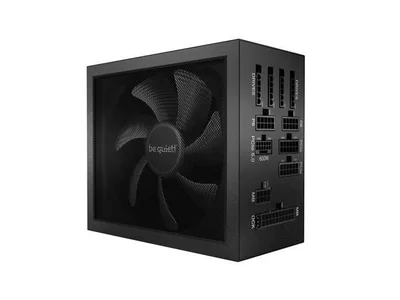
- In June 2026, UK review outlet Club386 had its own RTX 5090 Founders Edition and PSU destroyed - a press system built by professionals, running a native single 12V-2x6 cable into a 1,000W be quiet! Dark Power 13. Not an adapter, not user error, not a no-name cable. Their verdict: "not fit for purpose."
- The same month, TechPowerUp covered a Gigabyte RTX 5090 that melted despite a -100W power limit and an undervolt. Capping power helps the math; it has not proven to be a get-out-of-jail card.
- One owner who inspected and reseated his connector on a schedule still ended up with a burnt cable - on an official Corsair cable.
The pattern that matters for buyers: incidents span every cable category. Blaming third-party cables was the comfortable early theory, and der8auer debunked it on camera while examining the very first case. This is a design-margin problem, which means your job is stacking odds, not finding the one magic cable.
Why This Keeps Happening
Two facts explain basically everything.
The margin is nearly gone. The old 8-pin PCIe connector delivered 150W through hardware that could physically carry roughly double that. The 16-pin connector delivers 600W at a safety factor of about 1.1x, and an RTX 5090's 575W board power runs it at roughly 96% of spec all day - with measured transient spikes past 900W. There is no headroom left to absorb a bad day.
The card cannot see a bad pin. The RTX 5090 joins all six 12V pins into a single monitored rail the moment they hit the PCB. If four pins seat poorly, the card happily pulls the full load through the remaining two and never knows. When der8auer measured a running 5090, one wire carried over 22 amps - about 260W by itself - and the connector hit 150C in minutes. The RTX 3090 Ti split those pins across three monitored rails and had no melting epidemic at 450W. That safety net was removed, not lost.
Gamers Nexus ran melted connectors through a failure-analysis lab and found the trigger is almost always contact quality: a connector 1-2mm short of fully seated, cable tension pulling it further out, or debris in the terminals. NVIDIA's own test data showed failures appearing within 10-30 hours once contact degrades. The revised 12V-2x6 header (the H++ marking on current cables and ATX 3.1 PSUs) recessed the sense pins so a grossly unseated cable refuses to power up at all - a real improvement - but it changed nothing about per-pin ratings, load balancing, or a connector that is seated yet degraded. Which is exactly why the reports kept coming through 2026.
The 60-Second Safety Checklist
Run this before the first boot and after any time you move the PC. It eliminates every failure trigger that is actually in your control:
- Native 12V-2x6, no adapters. Your PSU should be ATX 3.1 with a dedicated 16-pin cable. Every adapter junction is extra resistance and extra heat - the 4x 8-pin octopus is for PSUs that should not be feeding this card anyway.
- Use the exact cable that shipped with your PSU. Modular pinouts are not cross-compatible between brands, and a leftover cable from an old ATX 3.0 unit gives up the revised connector geometry. If the cable has survived several unplugs, remember the connector is only rated for about 30 mating cycles.
- Seat it until the latch clicks, then look. No visible metal between plug and socket, on both the GPU and PSU ends. A 1-2mm gap is the documented melting condition. MSI ships yellow-tipped connectors for exactly this reason: if you can still see yellow, keep pushing.
- No bends within 35mm of the connector. That is roughly two finger-widths of straight cable before any curve, and never a sideways bend pressed against the glass panel. If your case forces a hard bend, buy a factory 90-degree cable (below), not an adapter.
- Recheck after transport, not weekly. Cable tension from moving or cable-managing the PC is a known trigger. Constant replugging just burns your 30 cycles.
- Consider watching the pins. A modest power limit (80-90%) lowers the thermal load and costs almost no FPS, but power-limited cards have still melted - monitoring is worth more than throttling. That is what the WireView pick below is for.
The Picks: Safe(r) Power for a 5090 or 5080
Nothing here makes the connector spec better than it is. These are the units that get you native 12V-2x6, top-tier build quality, and in two cases actual monitoring. Prices are hedged because they move - links show current reality. One warning that applies to the whole category: old ATX 3.0 stock shares Amazon search results with the current ATX 3.1 revisions. Check the listing before checkout.
At a glance
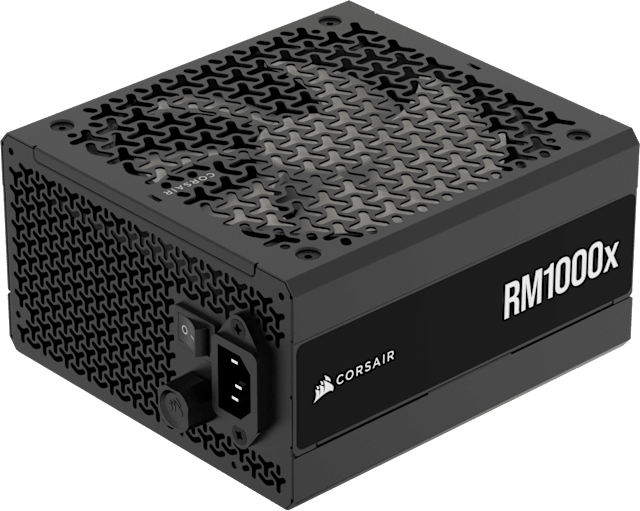
This is the boring, correct answer, and I mean that as the highest compliment a PSU can earn. It is Corsair's bread-and-butter 1000W Gold unit in its current ATX 3.1 revision, with a native 12V-2x6 connector so there is no adapter junction sitting there waiting to overheat, 105C Japanese capacitors, and a 10-year warranty. For a 5080 or 5090 build, that is exactly the size and pedigree you want without paying for a halo.
The one thing I keep having to warn people about is the revision trap. The older RM1000x still floating around search results is ATX 3.0 without the native 16-pin cable, so the exact listing genuinely matters here - this is the make-sure-it-is-this-revision poster child. The link above is the current one; confirm it says ATX 3.1 before you check out.
The catch: ATX 3.0 old stock lurks in the same search results, so you have to verify the listing is the current revision before buying.
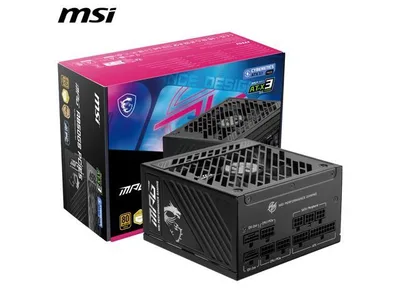
This is the value pick, and it has one trick I genuinely like: MSI's yellow-tipped connectors. If you can still see yellow after plugging in, it is not fully seated - which takes checklist item 3, the most common melting cause, and builds it right into the hardware where your eyes can catch it. It is 1000W Gold, ATX 3.1, and ships two native 12V-2x6 cables each rated for the full 600W, and it is the cheapest serious unit in this class.
I would still temper expectations. The indicator helps you avoid a bad seat, but it does not rewrite the connector's thin safety margin, and there is at least one user report of a yellow-tip cable melting anyway. Treat the yellow tip as a seating check you can trust with a glance, not as a guarantee that you can skip the rest of the checklist.
The catch: It is Gold efficiency rather than Platinum, and one user still reported a yellow-tip cable melting - the seating indicator helps, it does not exempt you from the checklist.
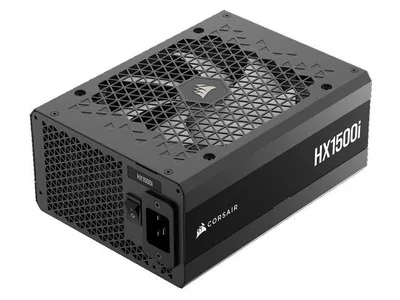
If the GPU cost $2,000 or more, the argument for a $450 PSU basically writes itself. This is Cybenetics Platinum, ATX 3.1, with dual 12V-2x6 cables and iCUE telemetry so you can actually log what the unit is delivering rather than guessing. The 1500W ceiling means those connector-melting transient spikes land on a platform with enormous headroom, and it runs quiet and cool doing it.
For a 5090 at full power this is the no-compromise choice, the one I would buy if the budget is there. Below that it is honestly overkill, and the same revision warning applies as with the RM1000x - pre-2025 HX1500i stock is ATX 3.0, so check the listing before you commit.
The catch: It is genuine overkill below an RTX 5090, and pre-2025 stock is ATX 3.0 - the same revision trap, so confirm the listing.
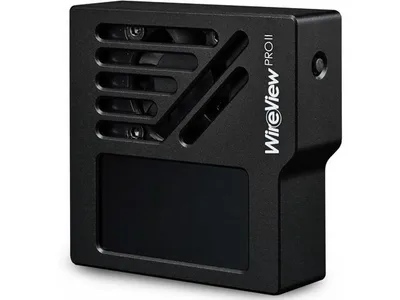
This is the only product in the guide built specifically for this failure mode, and it comes from der8auer's own company - the reviewer whose measurements exposed the uneven-current problem in the first place. It sits inline between the cable and the GPU and monitors current on every individual 12V pin, with temperature sensors and a configurable alarm. The card cannot see a bad pin because it lumps all six into one rail; this can, and it has already been credited with catching a failing connector before it melted. As a bonus, it doubles as clean 90-degree cable routing.
If you are running a 5090 at full power, I would much rather spend $120 to get an alarm than trust the connector's thin margin and hope. It is genuinely annoying that this product needs to exist - it is $120 to babysit something NVIDIA should have engineered around - but that is the situation buyers are in, and this is the honest answer to it.
The catch: It is $120 to babysit a connector NVIDIA should have fixed, and it is one more gadget crowding the case.
More Options Worth a Scroll
Cables: One Rule, One Exception
The rule: use the 12V-2x6 cable that shipped with your ATX 3.1 PSU. Modular pinouts differ between brands and even between series from the same brand, so a cable swap is how you turn a good PSU into a fire hazard.
The exception: if your case forces a bend near the connector, buy your PSU vendor's own factory 90-degree cable instead of tolerating the bend - Corsair sells Type-5 90-degree 12V-2x6 cables in both orientations, and Seasonic sells an official angled cable too. A factory cable engineered for the turn beats a straight cable crushed against tempered glass every single time.
What NOT to Buy
- Cheap 90-degree and 180-degree adapters. This category has a formal government recall attached to it: CableMod recalled 25,300 angled adapters through the CPSC after 272 incident reports and over $74,000 in property damage. CableMod is one of the most respected names in this space and could not make the product safe. The unbranded $15 version is not the exception.
- Adapter chains. PSU cable into extension into adapter into GPU is three extra junctions of resistance on a connector with no margin to spare.
- Old 12VHPWR-era cables on a new card. The 12V-2x6 revision exists specifically because the original geometry tolerated partial seating. A worn cable from your 4090 days gives that protection back.
- "Male-to-male 16-pin" mystery cables that top Amazon search. No independent testing, no brand to recall them when it goes wrong.
The Bottom Line
A $2,000 GPU deserves ten minutes of paranoia and maybe $150 of insurance. Get a native ATX 3.1 unit sized right for your build (our PSU calculator and wattage guide cover the sizing math), run the checklist above on day one, and if you are running a 5090 at full power, seriously consider the WireView so the first sign of trouble is an alarm and not a smell. And before you spend 5090 money at all, sanity-check the rest of the build with the bottleneck checker - the only thing worse than a melted connector is a melted connector on a GPU your CPU could not feed anyway.
Found this useful? Pass it along:
Frequently Asked Questions
Why are RTX 5090 power connectors melting?
Two reasons stack on top of each other. The 12VHPWR/12V-2x6 connector runs a 575W card at roughly 96% of its 600W rating, leaving about a 1.1x safety margin versus the old 8-pin's 1.7x or more. And the RTX 5090 monitors all six 12V pins as one combined rail, so it cannot detect when one pin carries far more current than the others. If contact quality degrades on a few pins, the rest silently overheat - der8auer measured over 22 amps on a single wire and 150C at the connector.
Can I actually prevent my RTX 5090 connector from melting?
You can stack the odds heavily in your favor, but nobody can honestly promise prevention - cards have melted on first-party cables and even with power limits applied. The real risk reducers: a native ATX 3.1 PSU with a 12V-2x6 cable (no adapters), the exact cable that shipped with that PSU, a fully seated connector with no visible metal, no bends within 35mm of the plug, and ideally per-pin current monitoring so you get a warning before heat becomes damage.
What PSU should I buy for an RTX 5090?
A 1000W or larger ATX 3.1 unit with a native 12V-2x6 connector from a top-tier platform - Corsair RM1000x (2025 revision) around $180 is the default answer, the MSI MPG A1000GS around $160-200 is the value pick with a seating indicator, and the Corsair HX1500i around $450 is the no-compromise choice with dual 12V-2x6 cables. Check that the exact listing says ATX 3.1 - older ATX 3.0 stock shares search results.
Is 12V-2x6 safer than 12VHPWR?
Somewhat. The 12V-2x6 revision recessed the sense pins so a badly seated connector refuses to power up at all, which kills the worst failure mode. But the cable and per-pin ratings are unchanged, there is still no per-pin load balancing on the GPU side, and it cannot detect a connector that is seated but has degraded contacts - which is why melting reports have continued on native 12V-2x6 setups through 2026.
Are third-party 12VHPWR cables safe?
Made-to-spec straight cables from reputable brands are generally fine - der8auer even defended the third-party cable in the first RTX 5090 melting case. The hard avoids are cheap unbranded 90-degree and 180-degree adapters. CableMod, one of the most respected names in custom cables, had to recall 25,300 angled adapters through the CPSC after 272 damage reports. If a premium brand could not make that product safe, the $15 Amazon knockoff is not the exception.