The Best Handheld Gaming Accessories of 2026 (Steam Deck, Switch 2, ROG Ally)
Some links in this guide are affiliate links - we may earn a commission at no extra cost to you.
Handhelds are the fastest-growing corner of gaming right now - the Steam Deck price hike, the ROG Xbox Ally, the Switch 2 selling out for months on end. And every one of them arrives trailing an accessory aisle that is mostly impulse junk: RGB stands, flimsy grips, and no-name storage that ends up in a drawer inside a week. The stuff that genuinely improves a handheld is a much shorter list than the store shelf suggests, and it is where small money buys the biggest quality-of-life jump.
If you only make two upgrades, make them storage and a dock. A fast microSD card (or an internal SSD swap on the Deck) matters because every handheld ships with less space than your library wants and fills faster than you expect, and slow storage turns into stutter and long load screens. A good dock matters because it turns the handheld into a TV console and kills the cable mess in one move - everything stays plugged into the dock, you drop the device on and go. Sort those two first. Everything after that is personal taste.
How we rank: we weigh what an accessory actually changes about daily handheld use, not the spec-sheet bullet points, and we call out the honest catch on every pick. Prices are street prices this week, and we skip anything that just adds a light-up logo to a drawer.
At a glance
The dock: JSAUX Steam Deck Dock (6-in-1)
A dock is the accessory that changes what a handheld actually is. Over a single USB-C cable it gives you HDMI out to a TV, gigabit ethernet, USB ports for a keyboard or controller, and passthrough charging, so the handheld becomes a couch console without you owning a console. The quieter benefit is the cable mess: every cord lives on the dock permanently, plugged into your TV stand or desk, and you just drop the device on to connect all of it at once. This JSAUX unit does HDMI 2.0, gigabit ethernet, and 100W passthrough, and while it built its name on the Steam Deck it also drives video out for the ROG Ally and Legion Go. The honest tradeoff is fit: a thick protective case can stop the handheld seating cleanly, so check before you rely on it. It is the first upgrade most handheld owners should make.
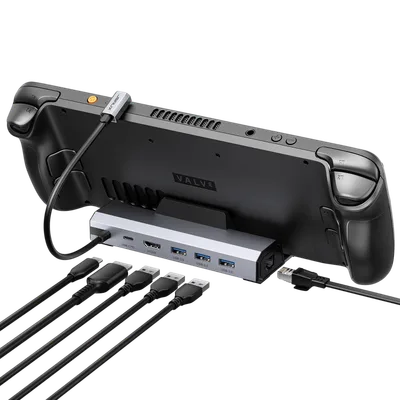
Roughly half the price of the official dock and the one accessory I hand people first. If you buy a single thing off this list, buy this.
The catch: If your handheld wears a thick case, double-check the fit before you count on it seating cleanly.
The microSD: Samsung Pro Plus (512GB)
Every handheld ships with less storage than a modern library needs, and a fast microSD is the zero-risk fix - no screwdriver, no teardown, works on the Deck, the Ally, the Legion Go, and the Switch 2 alike. Speed is what separates a good card from a bad one here: the Pro Plus hits the A2 and V30 ratings that keep game loads and level streaming honest, where a cheap card drags out load screens and can stutter when a game pulls assets mid-session. At 512GB it sits in the value sweet spot before per-gigabyte pricing starts climbing, and it is a Samsung card, so long-term reliability is not the coin flip it is with no-name storage. On a Steam Deck specifically, an internal SSD swap is the better long-term value if you are comfortable opening the device, but this asks nothing of you and is cheap enough to buy a second one when the first fills. It is the storage upgrade for anyone who wants space without a project.
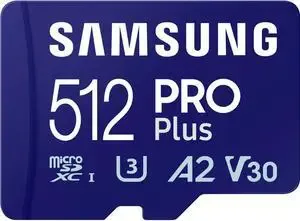
The no-risk storage bump: it slots in, hits the speeds that matter, and carries a name you can trust to last.
The catch: An internal SSD is the better value on the Deck long-term - this trades some of that for needing no screwdriver.
The power bank: Anker Nano (10K, 45W)
The number that matters on a handheld power bank is not capacity, it is sustained wattage. A Steam Deck or ROG Ally under load can pull more power than a weak brick delivers, so a bank that only trickles 18W will lose the race - the battery drains faster than it charges even while plugged in. This Anker actually holds 45W of USB-C PD, which is enough to keep a handheld topped up while you play instead of slowly bleeding out. It is small enough for a hoodie pocket and has the USB-C cable built into the body, so it is one less thing to forget on the way out the door. The honest limit is capacity: at 10,000mAh you get about one full handheld charge, which is plenty for a flight or a commute but light for an all-day travel session. It is the pick for anyone who wants to play untethered without babysitting the battery meter.
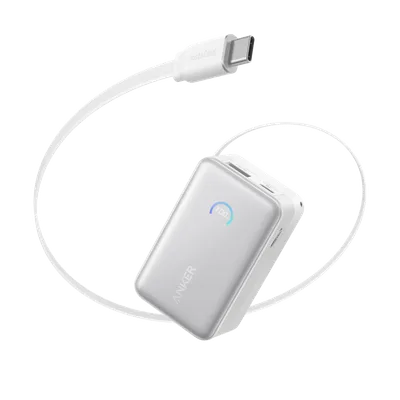
Sustained 45W and a built-in cable: it charges as fast as gameplay drains, which is the whole job.
The catch: At 10,000mAh it is one full handheld charge, not two - plenty for a session, light for a travel day.
The mobile monitor: JSAUX FlipGo Lite 15.6 Dual Monitor
This is the exotic pick, and the one I most enjoy pointing at. It is two 15.6-inch 1080p panels stacked vertically that fold flat, slide into a laptop sleeve, and run off a single USB-C cable, turning any handheld or laptop into a two-screen battlestation wherever you set up. The value is less about gaming and more about working on the road: one panel for a spreadsheet or docs while a game or a video runs on the other, or a match up top with Discord and a guide down below. It is a genuinely different way to work in a hotel or a coffee shop than hunching over one small screen. The honest tradeoff is the panels themselves - 1080p and productivity-first, which is exactly right for text and a second window but not the choice for color-critical photo or video work. It is for the mobile power user, not the person who just wants to game on the couch.
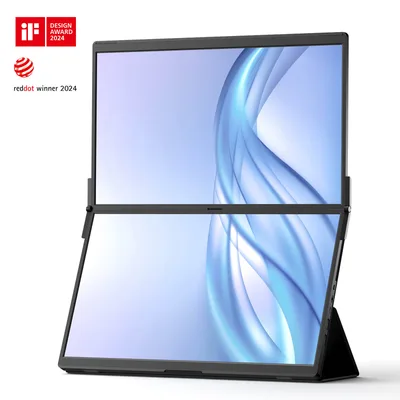
A fold-flat dual-screen setup off one cable. Overkill for pure gaming, brilliant for anyone who works where they play.
The catch: The 1080p panels are productivity-first - great for docs and a second game window, not for color-critical work.
Controller charging (Switch 2 owners)
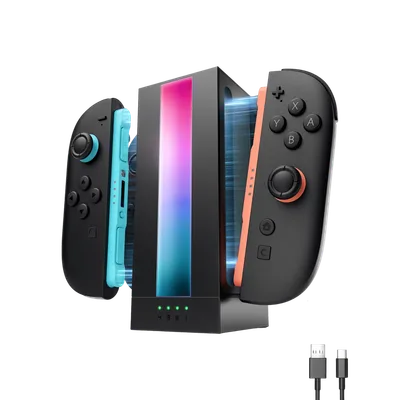
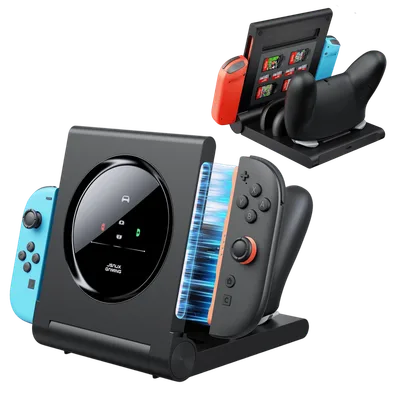
This one is console-specific rather than universal, but it solves a problem every Switch 2 household hits: four Joy-Cons do not charge themselves, and the console only tops up the pair that is attached. A dedicated charging dock keeps the spares ready instead of dead in a drawer, which matters the moment a second or third player wants to join. Both picks below are JSAUX build quality at impulse-buy money, and both are Switch 2 specific, so they are worth it only if that is your console - a Steam Deck or Ally owner can skip straight past this section. Pick the RGB stand if you charge one extra pair and want it to match a lit-up setup, or the 4-in-1 if you are running a genuine family console and need every controller topped up at once.
How to choose, and what to skip
The accessory aisle is built to sell you the wrong things, so a few rules keep you honest:
- Skip the overpriced first-party dock. Official docks often cost nearly double a JSAUX unit for the same HDMI-out-plus-charging job. Pay the premium only if you need a specific first-party feature; most people never do.
- Do not buy a slow microSD. A cheap card with no A2/V30 rating will drag out load times and can stutter mid-session. The few dollars you save are not worth the loading screens on hardware you bought to be quick.
- Wattage is the spec that lies on chargers and docks. A brick or dock that cannot sustain 45W PD charges slower than gameplay drains the battery. Check sustained output, not the big sticker number.
- microSD before an internal SSD if you are new to it. Storage in a slot is zero risk and works on every device. Graduate to the internal NVMe swap once you are comfortable opening the Deck - it is the better long-term value.
- Ignore the grips-and-skins wall unless you have a specific complaint. These are the classic drawer-fillers. If your hands cramp or the device feels slick, fine; if not, that money is better spent on storage.
The bottom line
Most handheld accessories are solutions looking for a problem, but a real short list exists and it is not expensive. Get storage and a dock sorted first: a fast microSD so you stop deleting games to install games, and a dock so the handheld doubles as a TV console with the cable mess handled once. Add the 45W power bank if you play away from an outlet, and the FlipGo only if you work where you play. Everything else - the RGB, the grips, the first-party markup - is optional at best. Spend on the two upgrades that change how the device feels day to day and skip the drawer-fillers.
Related reading
- The best handheld gaming PC in 2026 - which handheld to buy, plus the internal SSD swap that beats a microSD long-term
- Best gaming setup accessories 2026 - the monitor-arm-and-light-bar side if you are building a desk around the handheld
Found this useful? Pass it along:
Frequently Asked Questions
What accessories does a handheld gaming PC actually need?
Three things earn their place in the bag: a dock for TV play and charging, a fast microSD card (storage fills faster than you think), and a power bank rated for 45W+ USB-C PD so you can play while charging. Everything else is taste.
Do Switch 2 accessories work with the Steam Deck or ROG Ally?
Chargers and power banks generally yes - it is all USB-C PD. Docks are hit and miss: video output works on most, but charging wattage and fit differ. Controller charging docks are console-specific.