10 Gaming Setup Accessories That Are Actually Worth It (2026)
Some links in this guide are affiliate links - we may earn a commission at no extra cost to you.
The thing nobody tells you about a great setup is that it's rarely one expensive centerpiece. It's the small stuff: the surface under your hands, the light you're no longer squinting against, the cables you can't see anymore. Each fix is cheap on its own, but stacked together they're the difference between a desk you tolerate and one you actually want to sit down at.
Given $150 to spend, most people put it toward a single showpiece - a flashy keyboard, an RGB tower that photographs well. I'd split it four ways instead. A better mousepad, a light bar, an hour of cable management, and a monitor arm each solve a problem you feel every single day, and the total still comes in under that one showy purchase. Function before decoration is the whole philosophy of this list. Every pick below either kills a daily annoyance or genuinely makes the space nicer to live in, and I've been honest about which is which.
How we rank: we buy this gear and live with it rather than reading spec sheets, and we sort by how much daily annoyance each piece removes per dollar - function ahead of flash. Prices are what these sell for this week, and we swap anything discontinued on our quarterly pass.
At a glance
The desk mat: SteelSeries QcK XXL
This is the best value on the whole list and it isn't close. One giant cloth surface goes under everything at once: your mouse gets unlimited room for low-sensitivity flicks, your keyboard stops wandering, your wrists stop catching the hard desk edge, and the surface suddenly reads as deliberate instead of accidental. The QcK has been the reference cloth pad for two decades, and nobody has bothered to reinvent it because there's nothing to fix. Buy it once and it quietly does its job for years. The XXL size is the whole point - it spans keyboard and mouse together, so there's no seam or lip where your hand crosses from one zone to the next. If you take a single thing from this page, make it this one: cheap, genuinely functional, and it changes how the desk looks. It's for anyone with a desk, which is to say everyone.
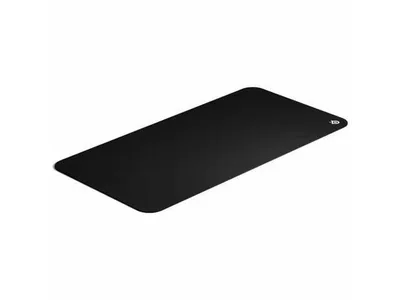
The forty-dollar buy that fixes the entire desk surface in one shot. If you only spend on one thing here, spend it here.
The catch: It is a cloth pad, so it needs an occasional wash to stay fresh - that is the entire maintenance story.
The light bar: BenQ ScreenBar Pro
The most underrated upgrade on this list, and the one people are most surprised by. It clips to the top of your monitor and lights your keyboard and desk without throwing any glare onto the screen, which a normal desk lamp simply can't do. The Pro model adds auto-dimming and a motion sensor, so it wakes up when you sit down and matches the room brightness without you touching a dial. The real reason it earns its spot: gaming at night in a dark room strains your eyes because a bright screen is fighting a black background, and lighting the desk around the monitor softens that contrast so your eyes stop working so hard. It's a genuine comfort upgrade rather than a gadget. It's for anyone who games or works after dark, especially with the room's main light switched off.
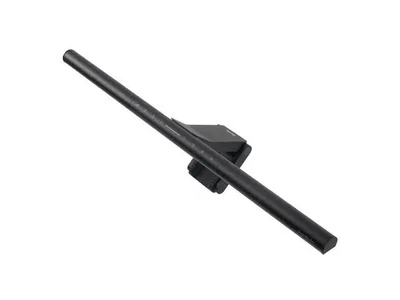
The desk upgrade your eyes notice after every night session. If you game in the dark, this beats any RGB toy for actual quality of life.
The catch: At $140-150 the BenQ is the premium option - the ~$40 Quntis and Baseus bars do about 80% of the job if the price stings.
The bias light: Govee Monitor Backlight
This is the decoration that happens to be quietly useful. It's an LED strip mounted behind the monitor with a small camera that reads what's on screen and spills matching color onto the wall behind it, so an explosion in-game washes the room orange for a beat. It looks great in person and even better on camera if you stream. The bonus is that the same soft glow behind the screen works as bias lighting, easing the contrast your eyes fight in a dark room - the same job the light bar does, just from the opposite direction. I file this one honestly under buy-it-because-you-want-it. It won't fix your posture or your clutter, but once the fundamentals are handled it's a genuinely lovely finishing touch that earns a little of its keep. It's for streamers and anyone who wants the room to feel like a setup rather than a desk in a bedroom.
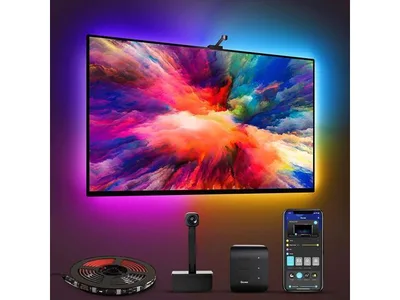
Decoration first, mild eye-comfort second - the fun buy that isn't totally frivolous. Add it after the gear that does a real job.
The catch: It is decoration first and ergonomics second, and the camera sync leans on a darker room to look its best.
The monitor arm: Heavy-Duty Monitor Arm
An arm floats your monitor at exactly eye height, which is the single biggest posture fix on this list. It also reclaims the whole footprint of the stock stand, so the desk under your screen becomes usable again, and it lets you pull the monitor close for a competitive session or push it back for a movie. This is one of those upgrades you stop noticing precisely because it's always right - no more looking down at a screen propped on a stack of books. A good one clamps to the desk edge and holds its position without sagging over the months, which is exactly where the cheap ones fail. For specific picks, the Ergotron LX is the gold standard, the Amazon Basics arm is a rebadged Ergotron for less, and the Kensington SmartFit Premium is the Newegg route. It's for anyone whose monitor sits too low, which is most people.
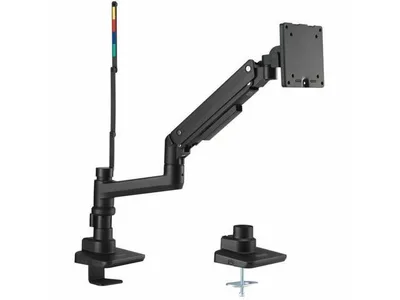
Buys your neck years of not being hunched - the ergonomic upgrade you feel every day without thinking about it.
The catch: It needs a desk edge it can clamp to, and a good one runs $100-plus - your neck is the thing you are actually paying for.
The cable cleanup: VIVO Under-Desk Cable Tray
The cheapest transformation on the list by a wide margin. A steel tray mounts under the desk to hold the power strip and power bricks up off the floor, velcro ties bundle the runs, and a few adhesive clips catch the strays. The whole job takes about an hour, and the before-and-after is genuinely dramatic: wire spaghetti becomes a clean floating desk, and cleaning around it stops being an archaeology dig through a tangle. This is the classic upgrade people put off for years and then rave about the day they finally do it, because it costs almost nothing and makes the setup look twice as expensive as it is. Nobody enjoys the hour spent under the desk. Everybody enjoys the result. It's for anyone who can see their cables right now.
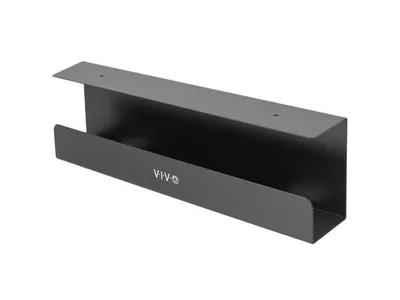
Thirty dollars and one annoying hour buys a desk that looks twice its price. The upgrade everyone puts off and nobody regrets.
The catch: It is an hour of real work under the desk before it pays off - nobody enjoys the hour, everybody enjoys the after.
The desk speakers: Creative Pebble 2.0
Twenty-five dollars for USB-powered desk speakers with angled drivers, and they're dramatically better than any monitor's built-in speakers - though that's a low bar sitting on the floor. The point isn't audiophile sound, it's not having to wear a headset for everything you do. Music while you work, a video between matches, a single-player game where comms don't matter: for all of that, little desk speakers make the whole setup nicer to live with, and you save the headset for Discord and competitive play. This is one of the highest joy-per-dollar buys on the page. The step-up Pebble X (~$97) adds RGB and real volume if you want it, but the plain 2.0 already punches so far above its price that most people never feel the need. It's for anyone tired of living inside a headset.
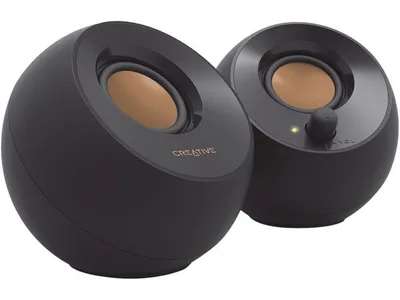
Twenty-five dollars to stop living inside your headset. Absurd value for how much nicer it makes the whole setup.
The catch: These are for music, YouTube, and casual play, not competitive comms - that is still headset territory.
The desk mic: HyperX SoloCast
Every headset mic makes you sound like you're phoning in from a stairwell. A $60 USB condenser on the desk fixes that in one purchase - you go from muffled and distant to clear and present, with a tap-to-mute sensor on top so you can kill the mic without alt-tabbing out of a game. Your Discord group notices the difference the day it arrives. It plugs in over USB with no audio interface or phantom power to fuss with, which is the whole reason to pick a USB condenser over a "real" XLR rig at this price. The honest limitation is that a condenser hears your whole room, so a loud mechanical keyboard and a wall of case fans will leak in behind your voice. If that's your situation, the dynamic mics in the budget mic guide reject that noise better. It's for anyone whose friends keep complaining about their mic.
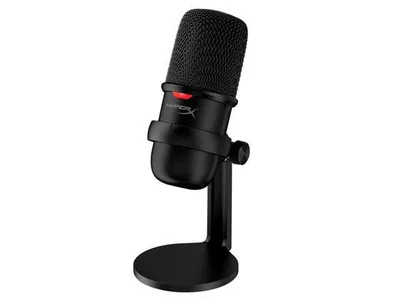
Sixty dollars to stop sounding like a drive-thru speaker in Discord. The upgrade your whole party hears immediately.
The catch: It is a condenser, so a loud room leaks in - the dynamic mics in the mic guide reject keyboard noise better if that is your problem.
More options once the fundamentals are handled
These are real and I stand behind every one - they're just the layer that makes sense once the functional gear is sorted. Nobody with neck pain ever wished their wall panels were a monitor arm, but plenty of people with a dialed-in desk are glad they finally added the fun. Buy in that order and you never regret the spend.
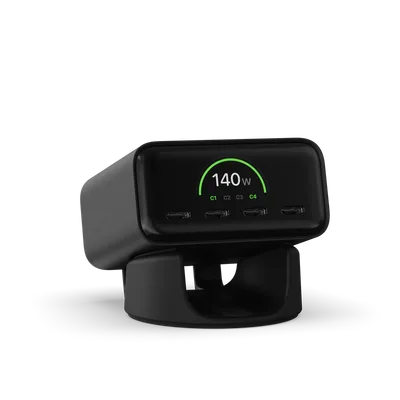
First, the one that still does a job: Satechi's ChargeView is a 140W four-port GaN desktop charger with a small display showing live wattage per port. One brick on the desk charges a laptop at full speed plus a phone, earbuds, and a handheld at once, kills the power-strip-of-wall-warts problem, and the readout ends the "is it actually fast-charging?" guessing game.
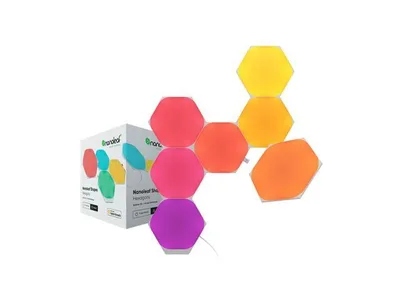
The Nanoleaf Hexagons are the wall-decor statement piece. Modular light panels snap together in whatever shape you want and run scenes that react to music or your screen, and they're genuinely the difference between a desk in a room and a battlestation. Pure decoration, so buy them after the gear that does a job.
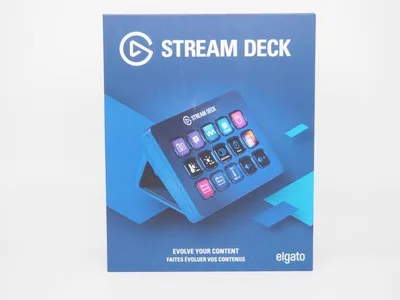
The Elgato Stream Deck reads as a streamer toy and turns out to be a productivity one. Its fifteen little LCD keys can each fire off the fiddly thing you do twenty times a day - mute Discord, launch your whole game-and-app stack, flip a light, cut a scene in OBS. It feels like a gimmick for about a week, and then you can't work without it.
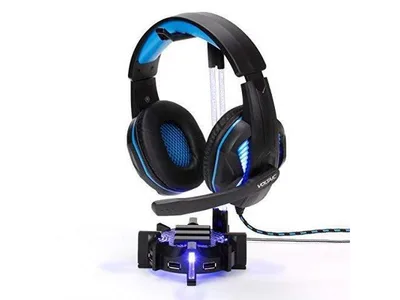
The ENHANCE stand is the small finishing win. It gets the headset off the desk and out of the monitor corner, keeps the earcups from slowly deforming against a hard surface, and smuggles a 4-port USB hub into the base for the dongles that always run out of ports. Not a problem-solver, just the detail that makes a setup look finished.
Best budget PC setup accessories under $50
If the whole list is more than you want to spend at once, three of the picks above sit under $50 and between them cover the two things you touch constantly and the one you trip over. Start here.
The Creative Pebble 2.0 at $25 is the single best value on this page - real desk speakers that replace tinny monitor audio for the price of a game. The VIVO under-desk cable tray at ~$20 is the least exciting thing here and the one people thank us for most: an hour of work and the floor under your desk stops being a nest. And the SteelSeries QcK XXL at ~$30 covers the whole desk, so your mouse and your wrists sit on the same consistent surface instead of a patchwork.
That is roughly $85 for the three, and it fixes more daily annoyance than a $150 keyboard would. The two picks worth saving toward after that are the light bar and the monitor arm - both are genuine quality-of-life upgrades, but both cost more than these three combined, so they belong in a second round rather than a first.
How to choose (and what to skip)
Two rules keep you from wasting money on desk accessories. The first is to buy function before decoration. A light bar, a monitor arm, and cable management each remove a real daily annoyance; an RGB strip removes none. There's nothing wrong with lighting - a space you enjoy sitting in is worth something - but it's the finishing layer, not the foundation. Nobody with a sore neck was ever rescued by a set of light panels, and RGB for RGB's sake is the easiest money to waste down here.
The second rule is to watch the brand tax. The premium option is sometimes genuinely worth it, but plenty of "gaming" accessories charge a logo premium for the same part. A $40 light bar does roughly 80% of what a $150 one does. A rebadged monitor arm is the same casting as the name-brand one for less. Pay up where the premium buys real function or lasting build quality, not where it only buys a color-shifting logo.
If you're starting from a bare desk, the order that never disappoints is function first: the surface under your hands, then the cables, then the light, then the arm. Sort those and the desk already feels finished. Audio and decoration come after, and only if you still want them - which, once the annoyances are gone, you might not.
The bottom line
Great setups aren't bought in one expensive swing. They're assembled from cheap, deliberate upgrades that each fix something you feel every day: the surface, the light, the cables, the angle of the screen. Spend on those first and the desk is transformed for less than a single flashy centerpiece would cost you. Then, if you still want them, add the audio and the glow.
And the standing caveat from the tool side of this site: none of this makes games run faster. If frames are the actual problem, that's a parts question, not an accessory one - run your build through the free bottleneck checker or grab a build recommendation before you dress the desk.
Related reading
- The best gaming headset right now - the one accessory that earns its own monthly guide
- Best budget USB mic - dynamic versus condenser, and the mics that reject keyboard noise
- Free bottleneck checker - make sure the PC behind the desk is actually balanced
- Build a PC - a full parts list at your budget with live prices
Found this useful? Pass it along:
Frequently Asked Questions
What accessories should every gaming setup have?
The highest-impact upgrades are an extended mousepad, a monitor light bar or bias lighting for eye strain, a monitor arm for posture, and cable management. All four fix daily annoyances for under $50 each. RGB decor like Nanoleaf panels and Govee backlights are the finishing touches once the fundamentals are handled.
Are monitor light bars worth it?
Yes, and they are the most underrated desk upgrade. A light bar illuminates your desk without glare on the screen, and pairing it with bias lighting behind the monitor measurably reduces eye strain in dark rooms by raising the contrast your eyes work against. If you game at night, it is a bigger quality-of-life jump than any RGB toy.
Do RGB lights affect gaming performance?
No. Lighting is purely aesthetic, and that is fine - a setup you enjoy sitting at is worth something. Just buy decor after the functional gear: nobody ever wished their Nanoleaf panels were a monitor arm, but plenty of people with neck pain wish the reverse.
What is the best cheap upgrade for a gaming desk?
An extended mousepad, usually under $40. It gives your mouse unlimited room for low-sensitivity aiming, stops your keyboard sliding around, protects the desk, and makes the whole surface feel intentional. It is the rare purchase that is both functional and transforms how a setup looks.