The Best Gaming Mouse in 2026: Tested Picks for Every Grip and Budget
Some links in this guide are affiliate links - we may earn a commission at no extra cost to you.
Buying a gaming mouse in 2026 is easy to get wrong because the spec sheets are designed to make it hard. Every box screams a bigger DPI number, a faster polling rate, and a lighter weight than the last one, and almost none of it is the thing that will actually make you aim better. The mouse that wins for you is the one whose shape fits your hand and whose sensor is good enough to disappear - and "good enough" was solved years ago, even on cheap hardware.
Five things genuinely matter, roughly in this order: shape and grip (does it fit a claw, palm, or fingertip hold, and does it suit your hand size), weight (sub-65 grams makes flicks and micro-corrections easier in shooters), sensor (every modern gaming sensor tracks flawlessly, so this is a floor, not a race), wireless latency (modern 2.4GHz dongles are as fast as wired now, so there is no reason to tolerate a cable), and switches (optical and haptic switches feel different, but the difference is preference, not performance). Notice that price is not on that list. A $35 mouse in the right shape beats a $180 one in the wrong shape, every time.
So this guide is short, priced honestly, and organized by what you actually do with your PC - not by which mouse has the biggest number on the box. The market in 2026 is the best it has ever been: sub-60-gram wireless flagships, 8K polling everywhere, and a budget tier quietly inheriting last generation's flagship internals. The trick is buying the right one for your hand and your games, and refusing to pay for the marketing wrapped around it.
How we rank: we weigh shape and grip fit first, then real-world weight, sensor consistency, and wireless latency - the things that survive past the spec sheet. We cross-check our picks against the pro-play landscape and the published independent reviews, price them at what they actually sell for this week, and only list mice we would tell a friend to buy. Prices get a fresh pass every quarter.
The short version
Most people should buy the Logitech G305 Lightspeed and stop reading - it is around $35, wireless, and more accurate than anything else near the price. Spend flagship money only if you are actually chasing ranked climbs, in which case the Logitech G Pro X2 Superstrike is the most refined all-rounder and the Razer Viper V4 Pro is the faster pure-esports tool. Beyond that, the right pick is mostly about your grip and hand size, not price. Buy the shape your hand likes and your aim will thank you either way.
Best value: Logitech G305 Lightspeed
This is the one I point almost everyone to, and it has been the default budget answer for years for a reason nobody has managed to beat. For around $35 you get a Hero sensor, Lightspeed wireless, and months of runtime on a single AA battery, and it tracks faster and more accurately than anything else near the price. That combination is the whole argument: the sensor is a genuine gaming sensor, the wireless is the real Lightspeed stack from Logitech's flagships, and the price is a rounding error next to what the top mice cost.
The honest compromises are weight and the battery. At 99 grams it is heavier than the sub-60g flagships, partly because of that AA cell, and if you grind ranked shooters you will feel the difference in fast flicks. For everyone else - the majority of players - none of that matters. If you are not sure you need more mouse than this, you do not, and this is exactly where the money should land and the reading should stop.
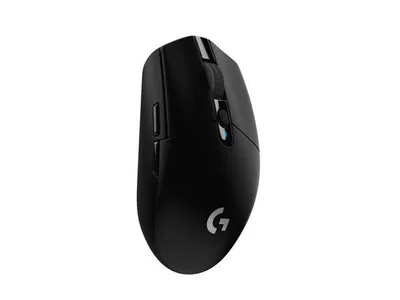
Real gaming sensor, real Lightspeed wireless, a fifth of the flagship price. The mouse to buy unless you have a specific reason not to.
The catch: At 99 grams it is heavier than the flagships, and the AA battery that gives it such absurd runtime is part of why - a non-issue unless you flick for a living.
Best flagship overall: Logitech G Pro X2 Superstrike
Logitech took the legendary Superlight formula - roughly 61 grams, a flawless sensor, rock-solid Lightspeed wireless - and added haptic clicks you can tune from a hair-trigger to a deliberate, weighty press. In the published reviews it lands as the most refined mouse Logitech has ever shipped and the current top pick in most 2026 flagship roundups, and that tracks with the pedigree behind it. If you play shooters seriously and want the safest premium buy, this is the shape and the sensor the pros already trust, with a genuinely new trick on top.
The two things to sit with are price and the haptics. At $180 you are paying full flagship money, and the tunable clicks are the kind of feature you either fall in love with or forget exists after the first week. Neither is a knock on the mouse - it is superb even if you never touch the haptic slider - but it does mean you are partly paying for a headline feature you might not use. Buy it for the refined Superlight core; treat the clicks as a bonus.
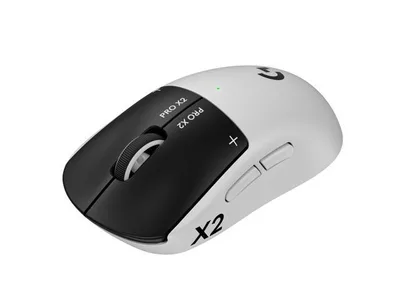
The refined Superlight core with tunable haptic clicks on top. The safest premium buy for serious shooter players.
The catch: It is $180, and the headline haptic clicks are a preference, not a universal upgrade - some people love the tunable feel, some never touch it.
The esports alternative: Razer Viper V4 Pro
Razer's flagship doubles down on raw speed: brutally fast Gen-4 optical switches, class-leading build quality, and true 8K wireless polling. Several reviewers call it the better pure esports tool of the two flagships, and if your hand already prefers Razer's flatter symmetrical shape, this is the one to reach for over the Superstrike. The optical switches are the headline - they actuate the instant you press, with none of the debounce delay mechanical switches carry - and on a high-refresh monitor the 8K polling gives a measurably smoother cursor.
The catch here is entirely about your hand, not the mouse. That flat symmetrical shape is a gift to claw and fingertip grips and a genuinely poor fit for palm grippers and larger hands, who will find themselves fighting it. This is the clearest case in the whole guide of buying the shape first and the spec sheet second: the internals are flawless, so the only question that matters is whether the Viper profile already agrees with your grip. If it does, it is a superb esports tool. If you palm grip, look at the DeathAdder below instead.
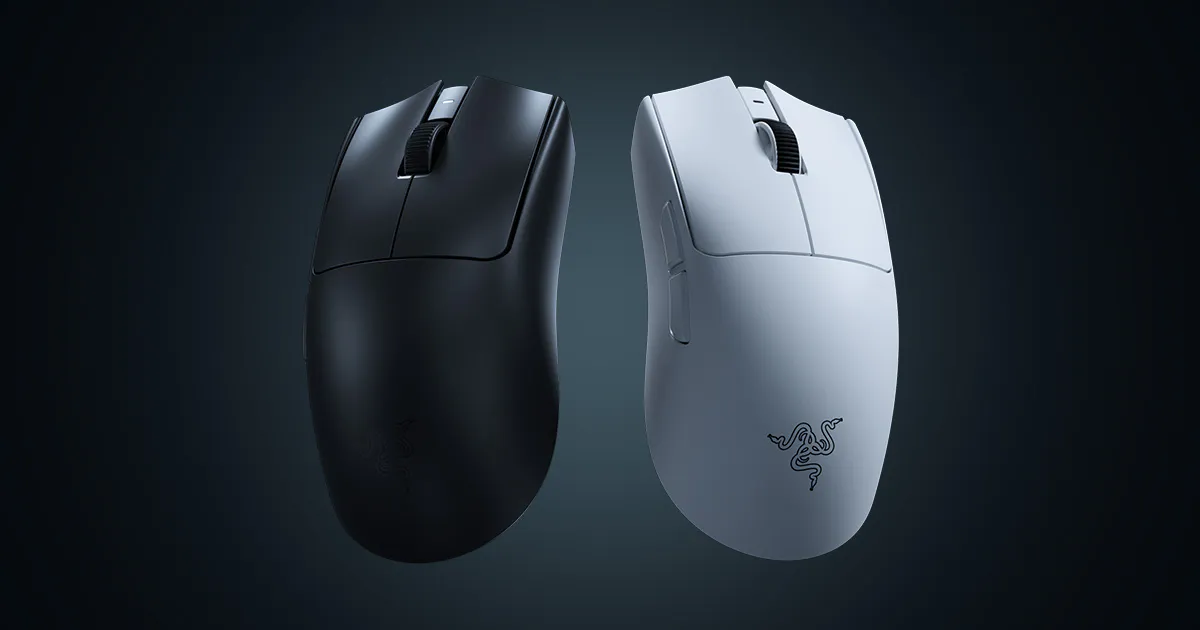
The fastest pure-esports tool of the two flagships, for hands that already like the flat Viper shape. Claw and fingertip grips only.
The catch: The flat symmetrical shape is built for claw and fingertip grips, so palm-grip players and bigger hands will fight it - shape, not speed, is the reason to skip this one.
Best for larger hands: Razer DeathAdder V4 Pro
The DeathAdder is the most famous shape in gaming mice, and this is its lightest, fastest form yet. The ergonomic curve fills and supports your whole hand, which the reviews consistently tie to more control and less fatigue over long sessions - the mouse holds you up instead of asking you to pinch it. Crucially, the internals are flagship-grade, so the tracking is identical to the flat esports mice. You give up a few grams of weight versus the lightest options and nothing else in performance, which makes this the rare ergo mouse that competes with the pro-shape flagships on their own terms.
If you have big hands or you palm grip, this is the flagship I would buy without much debate. The only reason to skip it is the flip side of its strength: that supportive curve runs big, so small hands will find it a lot of mouse, and all that shape becomes something to fight rather than lean into. Match it to your hand size and it is one of the most comfortable high-performance mice you can buy.
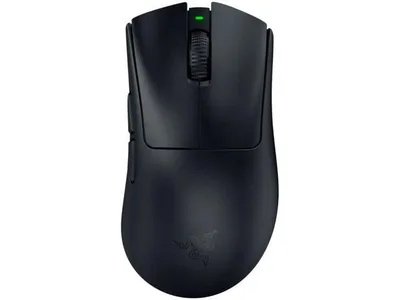
Flagship internals in the most trusted ergo shape in gaming. The palm-gripper's and big-hander's flagship.
The catch: The famous ergo curve runs big, so small hands will find it a lot of mouse - great support for larger hands, awkward for petite ones.
The do-everything mouse: Logitech G502 X Plus
The G502 has been the default all-purpose "gaming mouse" for the better part of a decade, and this Lightspeed version is why the reputation holds: 13 programmable buttons, the best scroll wheel in the business with a free-spin mode that flies through long documents, and a shape built for comfort over marathon sessions rather than raw flick speed. If your PC time is a genuine mix of gaming, work, and browsing, nothing else here handles the whole spread as gracefully. The extra buttons and the ratchet-or-free scroll wheel earn their keep the moment you leave a game and start actually using the machine.
The honest limit is weight. It is too heavy for competitive flicking, so I would not hand it to someone grinding ranked shooters - that is what the Superstrike and Viper are for. For everyone whose mouse has to do a bit of everything, though, it is close to ideal. Worth knowing: the wired G502 X is the same mouse for about $63 if you do not need the cordless version, which makes an already sensible pick even easier to justify.
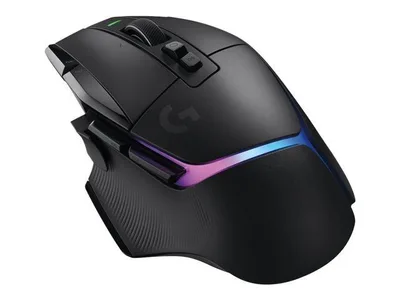
13 buttons and the best scroll wheel in the business. The pick when your mouse has to game, work, and browse.
The catch: It is too heavy for serious competitive flicking - this is a comfort-and-buttons mouse, not an esports mouse.
Best for MMOs: Razer Naga V2 HyperSpeed
Nineteen programmable buttons, including the classic 12-button side grid, means every cooldown, ability, and macro can live under your thumb. If you play WoW, FFXIV, or MOBAs, that side panel changes how the game feels - you stop hunting across the keyboard for the right key and start reacting, with your whole rotation a thumb-flick away. It is a purpose-built tool, and for the game type it is built for, nothing else solves the problem this cleanly.
The HyperSpeed version is the smart buy of the family: it skips the fancy charging dock of the V2 Pro and keeps the price sane at $100 while keeping the button grid and the wireless that matter. The obvious caveat is that this is a niche mouse. Outside MMOs and MOBAs, those side buttons are just extra bulk under your thumb, so I would only steer you here if that genre is genuinely your main thing. For the players who need it, though, it is the cleanest answer on the market.
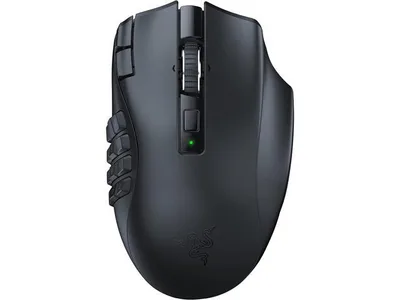
A 12-button thumb grid that rewires how an MMO feels. The clean, sanely priced pick for WoW, FFXIV, and MOBAs.
The catch: It is niche outside MMOs - all those side buttons are a gift in FFXIV and dead weight in a shooter.
How to choose (and what to skip)
Match the mouse to your grip and hand size first. Shape beats specs every time. Flat symmetrical mice (Superstrike, Viper) suit claw and fingertip grips; sculpted ergo shapes (DeathAdder, G502) suit palm grip and bigger hands. A flagship in the wrong shape loses to a budget mouse in the right one, so start here before you look at a single number.
Weight matters for shooters, not for everything. Sub-65g makes flicks and corrections faster in FPS games, and it is a real, feelable difference. But if you mostly play strategy, MMOs, or single-player games, weight is nearly irrelevant - take the comfort and the buttons instead and do not pay a premium to shave grams you will never notice.
A few things to actively skip:
- DPI marketing. Every sensor on this list is flawless. A 44,000 DPI ceiling is a number nobody plays at - most pros sit at 800 or 1600 DPI. Sensor consistency is what matters, and that was solved years ago.
- Paying up for RGB. Lighting is cosmetic and adds nothing to how a mouse tracks or feels. Never let it be a tiebreaker, and never pay a premium for it.
- Bluetooth for gaming. Modern 2.4GHz dongles (Lightspeed, HyperSpeed) are as fast as wired. Bluetooth is the slow connection - fine for a laptop on the couch, wrong for aiming.
- 8K polling as a must-have. It gives measurably smoother tracking on a 240Hz+ monitor and does nothing at 60Hz. It is a nice-to-have on a high-refresh display, not a reason to spend more. If you are not sure your PC can even push a high refresh rate, check your CPU and GPU pairing before chasing frames your system cannot deliver.
More options worth a scroll
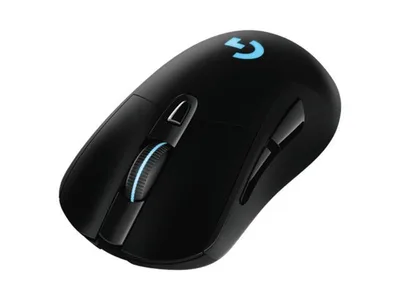
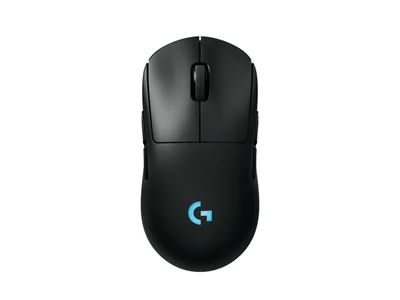
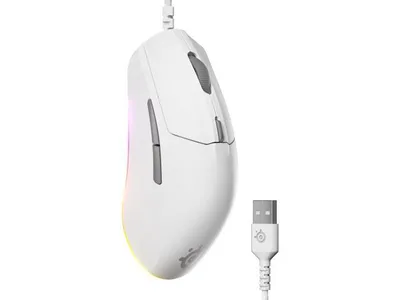
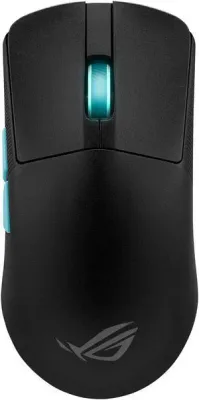
None of the six fit your hand? Next off the bench (and if you want the boutique enthusiast route, look up Pulsar and Lamzu):
The bottom line
The best gaming mouse in 2026 is the one that fits your hand, and for most people that mouse costs $35. Buy the G305 if you want the best deal in PC gaming and get on with your life. Step up to the Superstrike or Viper V4 Pro only if you are actually chasing ranked climbs, and let your grip pick between them - flat and symmetrical for claw and fingertip, the DeathAdder's curve for palm grip and big hands. If your PC does more than game, the G502 handles the whole spread; if you live in an MMO, the Naga's thumb grid is worth every button. Whatever you land on, buy the shape first and ignore the spec-sheet theater. Your aim will thank you either way.
Related reading
- The best gaming keyboard in 2026 - the other half of your desk setup, ranked the same way
- The best gaming headset of the month - our current audio pick, refreshed monthly
- The best 1440p gaming monitor in 2026 - the display that makes 8K polling and high frame rates actually matter
- Free bottleneck checker - make sure your CPU and GPU can push the frames before you chase them with a mouse
Found this useful? Pass it along:
Frequently Asked Questions
What is the best gaming mouse in 2026?
The Logitech G Pro X2 Superstrike ($180) is the best all-around flagship, with the Razer Viper V4 Pro ($170) as the esports alternative with the fastest optical switches. For most people the Logitech G305 at around $35 delivers 90% of the experience for a fifth of the price.
Does a gaming mouse actually improve aim?
A lighter mouse with a modern sensor and a higher polling rate genuinely tracks better and moves faster than a $15 office mouse - the difference is real. But past the $60 mark, gains shrink fast. A flagship mouse will not fix bad aim; it removes hardware as the excuse.
Is a wireless gaming mouse slower than wired?
Not anymore. Modern 2.4GHz gaming dongles like Logitech Lightspeed and Razer HyperSpeed have latency as low as or lower than wired mice. Every mouse on this list is wireless, and the pros play wireless. Bluetooth is the slow one - never game over Bluetooth.
How heavy should a gaming mouse be?
For FPS games, under 65 grams is the modern sweet spot, and flagships are now hitting 36-60g. Heavier mice (80-100g) are fine and even preferred for MMO and productivity use where flick speed matters less than comfort and button count.
What DPI should I use for gaming?
Most pros use 800 or 1600 DPI with in-game sensitivity adjusted to taste. Marketing numbers like 44,000 DPI are meaningless - nobody plays there. What matters is sensor consistency and polling rate, not the DPI ceiling.