The Best Gaming Keyboard in 2026: Hall Effect Changed Everything
Some links in this guide are affiliate links - we may earn a commission at no extra cost to you.
Something fundamental shifted in gaming keyboards between 2024 and 2026: Hall effect magnetic switches went from niche enthusiast curiosity to the default choice for gaming, the same way mechanical replaced membrane a decade ago. Every serious gaming board worth buying now leans on them, and once you understand why, most of the buying decision makes itself.
But magnetic switches aren't the only thing separating a great gaming keyboard from a mediocre one. Switch feel still matters: linear switches (smooth, no bump) are the competitive default, while tactile switches (a bump at the actuation point) suit people who split time typing. Layout decides how much room your mouse gets - a compact 60% or TKL board frees your desk for big low-sensitivity swipes, while a full-size keeps the numpad. Then there's hot-swap sockets for changing switches without soldering, wireless-versus-wired latency, and sound - a well-dampened board that types like a custom build genuinely makes the hobby more fun. My bias, up front: for gaming specifically, magnetic switches won, and I stopped recommending plain mechanical boards for pure gaming a while ago.
How we rank: we weigh switch feel and rapid-trigger quality, layout, software, build, and honest price-to-performance - not spec-sheet bragging rights like inflated polling numbers. We track street prices on all four picks and re-check them against live Amazon and Newegg listings, and we flag the one honest catch on every board instead of pretending it has none.
The short version
For gaming specifically, I stopped recommending normal mechanical boards a while ago - Hall effect magnetic switches simply won. The Wooting 80HE is the one I point most enthusiasts to: the best rapid trigger, the best software, and an 80% layout that keeps your F-row. If you would rather buy a big brand you can grab off a shelf, the Razer Huntsman V3 Pro TKL gets you there with esports pedigree. And if you just want the tech for a quarter of the money, a budget board like the MonsGeek FUN60 Pro does the same magnetic trick for around $35. The full reasoning, pick by pick, is below.
Why Hall Effect Took Over
A traditional mechanical switch is a binary on/off contact at a fixed point. A Hall effect switch is a magnet and a sensor - the keyboard knows exactly how deep every key is pressed, continuously. That unlocks three things:
Adjustable actuation. Set WASD to fire at 0.5mm for instant movement, keep your spacebar at 2mm so you stop accidentally jumping. Per key.
Rapid trigger. The key resets the moment your finger starts lifting instead of at a fixed release point. Counter-strafing in CS2 and Valorant becomes physically faster. This is not placebo; it is why the pro scene moved en masse.
Analog input. Feather a key like a controller trigger - partial press for walking, full press for sprinting - in games that support it.
None of this makes you a better player by itself. It removes input lag you did not know you had. Every board below except the budget disclaimers uses it, so the real choice comes down to layout, software, and how much you want to spend.
Best overall: Wooting 80HE
If you only remember one board from this guide, make it this one. Wooting more or less invented the modern Hall effect gaming keyboard, and the 80HE is still the reference the rest of the market chases. The switches are magnetic, so you get per-key adjustable actuation and the cleanest rapid trigger I have used - set WASD to fire at 0.5mm for instant counter-strafing, leave your spacebar deep so you stop fat-fingering jumps. The 80% layout is the quiet masterstroke: you keep your F-row and arrows but lose the numpad you never touch, which frees desk space for big low-sensitivity mouse swipes.
What actually separates it from cheaper magnetic boards is the software. Wootility runs in your browser with nothing to install, and tuning actuation and rapid trigger per key is genuinely painless - which matters, because magnetic tech is only as good as the tool that configures it. Gasket mounting keeps it comfortable over long sessions. For a competitive or enthusiast player who wants the best without stepping into flagship-vanity money, this is the default.
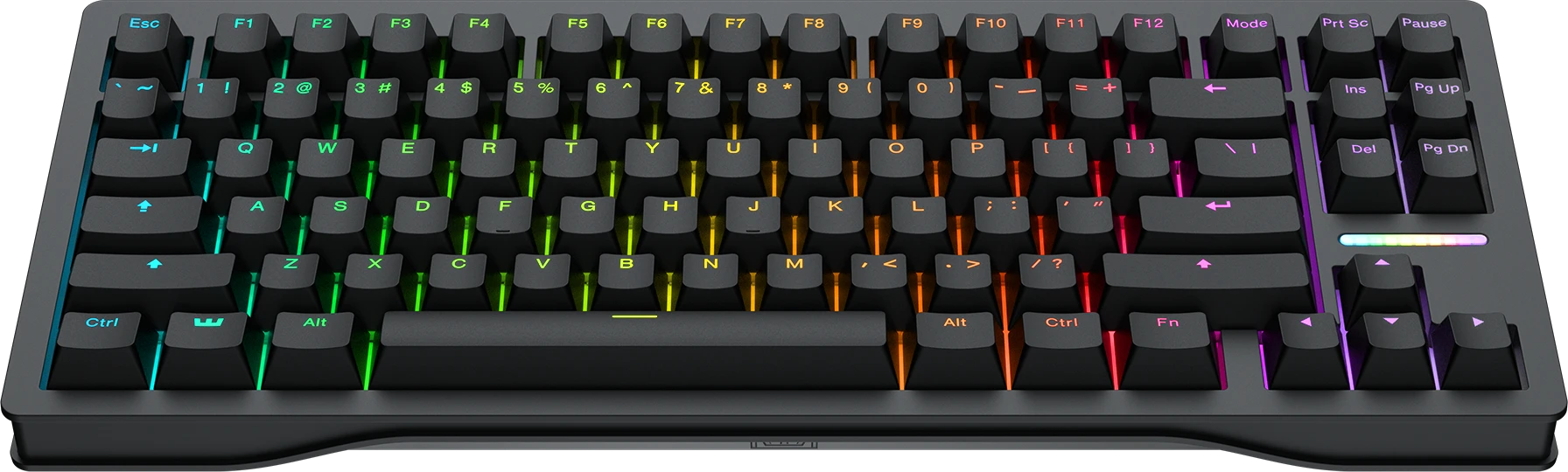
The one to beat. If you can catch it at MSRP, stop shopping - the software and rapid trigger alone justify the pick.
The catch: It sells at MSRP but availability comes in waves, so you may have to catch a restock to get one at $200.
Esports pick: Razer Huntsman V3 Pro TKL
When Wooting's restock lottery wears you down, this is where I send people, and it is no consolation prize. Razer's analog optical switches deliver the same adjustable actuation and rapid trigger you came for, plus Snap Tap for instant strafe reversal, and the tenkeyless layout clears room for the wide, low-sensitivity mouse arcs competitive FPS demands. It carries real esports pedigree - a lot of pros run this exact board - and unlike the Wooting you can usually walk into a store and buy one today.
The tradeoffs are honest ones. You live in Razer Synapse rather than Wooting's clean browser tool, and the switches run louder than a gasket-mounted board, so it is less pleasant to type on late at night. If you want a different footprint it also comes in full-size and a smaller mini. But as a buy-it-now, esports-proven alternative to the 80HE, nothing else is this easy to recommend - this is the pick for the competitive player who values availability and pedigree over software polish.
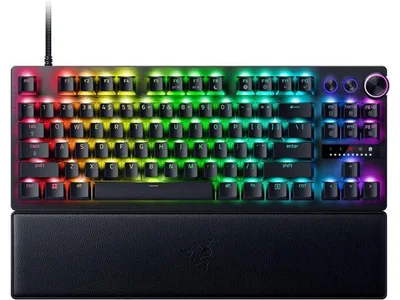
Buy it if availability matters more than software polish, or you want a board with genuine pro pedigree on shelves today. It also comes in a $180 mini if you want it smaller.
The catch: You are stuck with Razer Synapse software, and it runs louder than a gasket-mounted board.
Budget Hall effect: MonsGeek FUN60 Pro
This is the pick that still surprises me. A 60% board with real magnetic switches, 8K polling, and rapid trigger for the price of a takeout dinner - the base model runs about $35 as I write this. A couple of years ago this technology only lived in $200 flagships; now MonsGeek, Gamakay, and Akko are all shipping legitimate Hall effect performance under $70. The switches do the exact same trick the Wooting does: your counter-strafing in CS2 and Valorant feels physically faster, and that is the part that actually changes your gameplay.
What you give up is finish, not function. The case is plasticky, the software is rougher and less intuitive than Wootility, and the 60% layout drops your arrows and F-row, which takes about a week to adjust to. But if you want to feel what rapid trigger does without committing $200, this is the honest, low-risk way in - and for a lot of budget builders it is all the keyboard they will ever need.
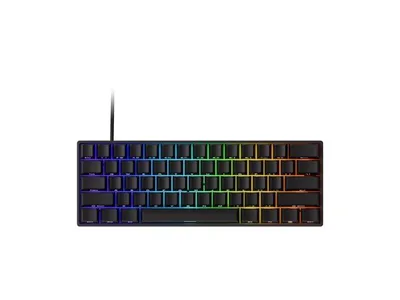
The cheapest legitimate way to own rapid trigger. If money is tight, start here and you will not feel like you settled for less.
The catch: The case is plasticky and the software is rougher than the flagships - you are paying for the switches, not the finish.
Endgame: ASUS ROG Azoth 98 HE
This is the kitchen-sink flagship, the one you buy because you want to, not because your aim needs it. It stacks Hall effect switches with fine 0.01mm actuation adjustment, a genuine first in 8K polling over wireless, a color OLED touchscreen, tri-mode connectivity, and six layers of internal sound dampening that make it type like a custom board someone assembled by hand in their garage. The 98-key layout keeps a numpad without the full-size sprawl. Every box on the spec sheet is ticked, and the build quality backs it up.
Here is the straight talk: it costs as much as a mid-range graphics card, and nothing here makes you measurably better than the Wooting does for a third of the price. The rapid trigger is not more effective; it is just wrapped in a nicer object. If you have decided the keyboard itself is a thing you want to love looking at and typing on every single day - and you have the budget for that - this is the one. Just go in clear-eyed about what you are paying for.
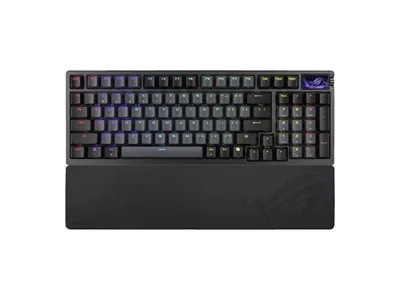
Buy it because you want the nicest object on your desk, not because it wins you rounds. It will not - but it is glorious.
The catch: It costs as much as a GPU - buy it because you want it, not because your gameplay needs it.
More options worth a scroll
If none of the four fit your hands, budget, or layout preference, these are the next boards off the bench:
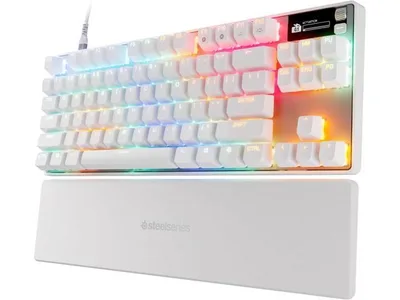
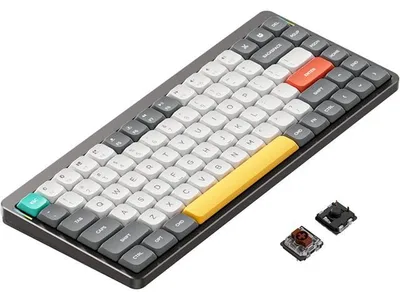
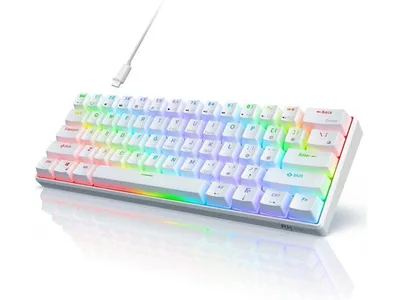
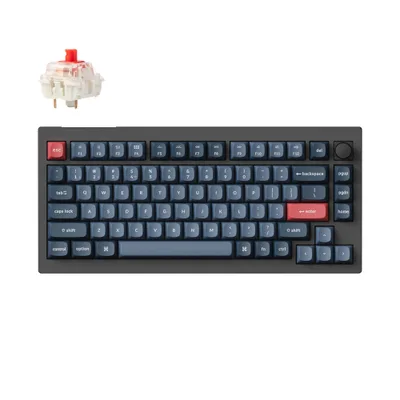
What about normal mechanical keyboards?
Still great - for typing. If you split time between work and games and love a classic clicky or tactile feel, a hot-swappable board from Keychron's V or Q series remains the best pure typing value on the market, and your kill/death ratio will survive just fine. That is exactly what the budget mechanical keyboard guide is for. But if the question is specifically "what should I buy for gaming in 2026," the honest answer is that magnetic switches won, and even the budget tier has them now.
How to choose (and what to skip)
Layout first. 60% (FUN60) = maximum mouse room, no arrows. TKL (Huntsman) = the esports standard. 80%/96%/98% (Wooting, Azoth) = keeps the keys you actually use. Full-size only if you genuinely use the numpad.
Then software. Rapid trigger is only as good as the tool that configures it. Wooting is effortless, Razer Synapse is fine, the budget brands make you work for it.
Then budget honestly. $35 gets you the tech. $200 gets you the tech plus a board that sounds and feels premium. $490 gets you an OLED screen you will look at twice.
What to skip. Membrane boards marketed as "gaming" keyboards, "esports" boards with no rapid trigger sold at real prices, and paying flagship money for RGB and materials on a board that lacks magnetic switches. In 2026 the switch technology is the point; anything charging a premium without it is charging you for a badge.
The bottom line
The 2026 keyboard market is the easiest it has ever been to shop, because one technology quietly won and dragged the whole stack forward. If we had to boil it down: most competitive and enthusiast players should buy the Wooting 80HE and be done; grab the Razer Huntsman V3 Pro TKL if you would rather buy off a shelf today; start with the MonsGeek FUN60 Pro if the budget is tight and you just want to feel rapid trigger; and reach for the ASUS ROG Azoth 98 HE only if the keyboard itself is a thing you want to love.
And the eternal reminder: a keyboard cannot add frames. If your games feel sluggish, the fix lives in the PC, not the peripheral aisle - sort that first, then treat yourself.
Related reading
- Best budget mechanical keyboard 2026 - typing-first boards under $100 when you do not need magnetic switches
- Best gaming mouse 2026 - the other half of your aim, priced honestly
- Best gaming setup accessories 2026 - the desk, mat, and extras that go around the keyboard
- Free bottleneck checker - make sure your PC can actually push the frames before you spend on peripherals
Found this useful? Pass it along:
Frequently Asked Questions
What is the best gaming keyboard in 2026?
The Wooting 80HE (around $200) is the best gaming keyboard for most enthusiasts - it popularized Hall effect switches and still has the best software. The Razer Huntsman V3 Pro TKL (around $160-200) is the big-brand analog alternative, and budget Hall effect boards now start around $35.
What is a Hall effect keyboard and is it actually better for gaming?
Hall effect keyboards use magnetic sensors instead of physical metal contacts, so the board knows exactly how far each key is pressed. That enables adjustable actuation (set WASD to trigger at 0.5mm) and rapid trigger, which resets a key the instant you start releasing it. For movement-heavy shooters the difference is genuinely noticeable, which is why esports pros switched almost universally.
What is rapid trigger?
Rapid trigger dynamically resets a key based on your finger movement instead of a fixed release point. In practice it means counter-strafing and jiggle peeking in games like Valorant and CS2 feel instant. It is the single biggest reason to buy a Hall effect board over a traditional mechanical one.
Are expensive gaming keyboards worth it?
Up to a point. The jump from a $30 membrane board to a $60-100 mechanical or Hall effect board is enormous. The jump from $100 to $250 buys better build quality, sound, and features like displays and knobs - real but diminishing. Past $300 you are paying for enthusiast materials, not gameplay.
Do I need 8K polling on a keyboard?
No. Keyboard polling matters less than mouse polling because keypresses are slower events than mouse movement. It is a nice spec on a flagship, but actuation distance and rapid trigger settings matter far more for how fast a keyboard feels.