The Fastest Gaming Mice in 2026: 8K Polling, Optical Switches, and What Speed Actually Buys You
Some links in this guide are affiliate links - we may earn a commission at no extra cost to you.
Every mouse in this guide is fast the way marketing means it. This page is about the way physics means it: how many milliseconds pass between your finger moving and the game knowing.
That chain has four links you can actually buy your way down. Polling rate decides how often the mouse reports its position - at the old 1000Hz standard a report can sit waiting up to a full millisecond, while true 8K polling cuts that wait to 0.125ms. Switch type decides how fast a click registers - mechanical switches burn a few milliseconds of debounce time to avoid double-clicks, and optical switches mostly skip that. Weight decides how fast your arm can move the thing, which is worth more than any electronic spec. And wireless implementation either adds nothing at all these days or, on a bad dongle, adds more than everything above combined.
Stack it all up and the gap between a great mouse and an average one is single-digit milliseconds inside a human reaction loop of 150 to 250. That is the honest frame for this whole page: speed is real, measurable, and worth having at the margins - and the margins are where ranked games are decided. One prerequisite, though. Sub-millisecond mouse timing is pointless on a system chugging at 80fps, so check what your CPU and GPU can actually push before spending flagship money on input speed your screen never shows you.
If what you actually want is the right mouse for your hand and budget, that is a different question with a different answer - our main gaming mouse guide ranks by shape and value. This page is the speed run.
How we rank here: polling rate and switch actuation as published in independent latency testing, then weight, then wireless consistency. We aggregate the published measurements - TechPowerUp, the review-lab latency charts, the spec sheets - rather than claiming our own test bench. Prices are what the mice sell for this week, refreshed quarterly.
The short version
The Razer Viper V4 Pro is the fastest complete package you can buy: true 8K wireless, Gen-4 optical switches, and a chassis light enough that your wrist is never the excuse. If $170 is silly money for a mouse, the Attack Shark V8 gets you genuine 8K wireless and optical switches for about $42, and the gap between them is smaller than the price tags suggest.
The outright fastest: Razer Viper V4 Pro
Nothing on the market strings the whole latency chain together better. The Gen-4 optical switches actuate the moment the beam breaks, with none of the debounce delay mechanical switches carry. The 8K wireless polling is the real thing, not a wired-only asterisk. And the flat, low-profile shell keeps the weight where flick-heavy play wants it. In the published latency rankings this is the mouse the others get measured against, and the margin it holds is consistent across click delay and motion delay both.
What you are paying for is the last few percent, and it is worth being clear-eyed about that. Against the $42 pick below, the Viper's measurable edge is small; against anything older than a couple of years, it is a different sport. The shape carries the same warning as always: flat and symmetrical rewards claw and fingertip grips, and palm grippers will fight it. Speed lives in the hand as much as the hardware, and a shape you fight is slower than any sensor can fix.
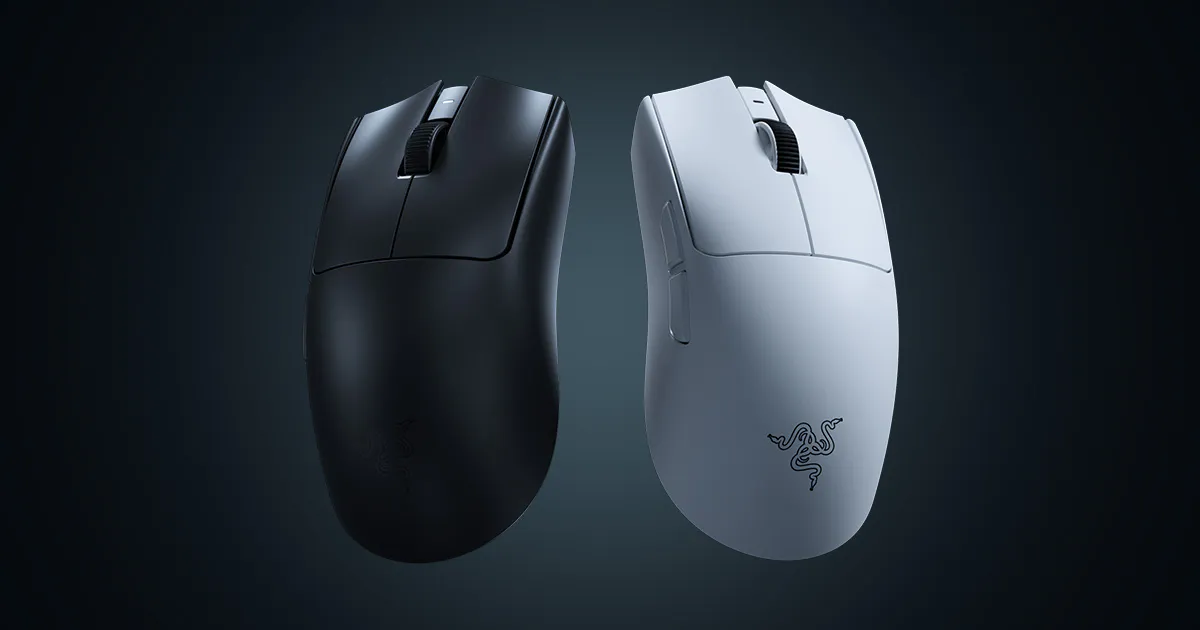
Gen-4 optical switches, true 8K wireless, and the reference-point latency numbers. The benchmark the rest of the list is chasing.
The catch: The flat shell is built for claw and fingertip grips - palm grippers lose more speed fighting the shape than the electronics ever give back.
The $42 upset: Attack Shark V8
This is the pick that makes the flagships sweat. Attack Shark shipped the V8 in December 2025 with a spec sheet that reads like a $150 mouse: dual-mode 8K polling on a Nordic 54L15 wireless chip, Omron optical switches rated for 100 million clicks, and a 56-gram body - all at a street price around $42. The budget tier inheriting flagship internals has been the quiet story of the last two years, and this is currently its loudest example.
The compromises are the ones you would guess, and none of them touch the speed. The software is clunkier than Razer's or Logitech's, the finish is not in the same league, and long-term durability is a bigger question mark than it is with brands that have been shipping mice for twenty years. You are also buying from a younger brand through marketplace listings, so check the seller. But on the numbers that this page cares about - polling, switch delay, weight - it plays in the flagship bracket for a third of the money, and that makes it the easiest recommendation here.

Dual 8K wireless, optical switches, 56 grams, ~$42. The budget mouse that plays in the flagship latency bracket.
The catch: Clunky software and a younger brand's question marks on long-term durability - the speed is flagship-grade, the polish is not.
Fastest clicks you can tune: Logitech G Pro X2 Superstrike
Logitech's flagship attacks the chain at the click. The haptic switches can be tuned down to a hair-trigger actuation that fires with barely any travel, which in practice means the click registers sooner than a full mechanical press ever could - and unlike a fixed hair-trigger, you can dial it back to a deliberate press for anything that punishes twitchiness. Under the party trick sits the Superlight pedigree: the shape and wireless stack that a large share of the pro scene already plays on, at roughly 61 grams.
Two cautions before the $180 leaves your wallet. First, the tunable actuation is a preference feature - some players set it once and swear by it, others park it at default and effectively own a very good Superlight. Second, TechPowerUp reports a Gen-2 Superstrike is being prepared for a September launch. Razer buyers do not have that cloud over the Viper right now, so if you are the type who resents buying a flagship sixty days before its successor, this is the one pick worth sitting on until fall.
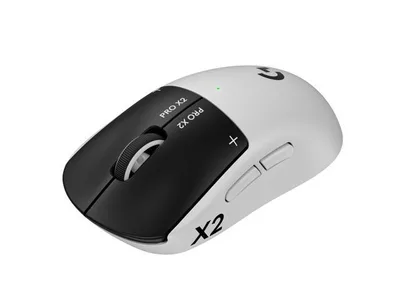
Tunable hair-trigger haptic clicks on the pro scene's favorite chassis. The click-speed ceiling, with a September asterisk.
The catch: A Gen-2 Superstrike is reportedly slated for September, so the resale-value-conscious may want to wait a season.
Fast for palm grips: Razer DeathAdder V4 Pro
Every list like this quietly assumes a claw grip, so this slot exists to fix that. The DeathAdder V4 Pro carries the same optical switch and wireless technology as the Viper in the most trusted ergonomic shape in gaming, which means palm grippers and larger hands get flagship-grade latency without borrowing a shell designed for someone else's hand. The published numbers put it a hair behind the Viper on raw weight and nothing meaningful behind it anywhere else.
The advice from the Viper section applies in reverse: if your hand wants support, this is faster for you than the flatter mice above, whatever the spec sheets imply, because the mouse you control confidently is the fast one. Small hands should skip it - the curve runs big, and there is no speed in a mouse you have to stretch across.
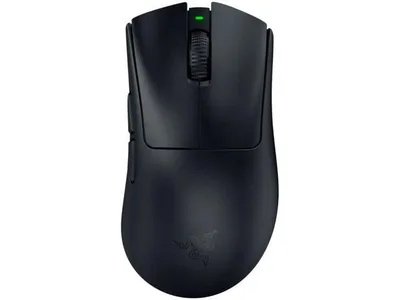
Viper-class switches and wireless in the classic ergo shape. Flagship speed for the palm-grip majority.
The catch: The ergo curve runs big - small hands end up stretching, and stretching is slow.
Where speed stops mattering
A few honest boundaries, so the money goes where it works:
- Below 240Hz, 8K polling is decoration. The published tracking comparisons show the smoothness gain clearly at high refresh rates and barely at all at 144Hz. If you are on a 60 or 144Hz panel, a faster monitor buys you more perceived speed than any mouse on this page.
- Your frame rate is upstream of everything here. A mouse reporting every 0.125ms feeds a game rendering every 12ms at 80fps. Run the bottleneck checker first; the fix might be a GPU, not a peripheral.
- DPI still is not speed. Sensor resolution ceilings are a solved problem and a marketing number. No pick on this page was chosen for DPI, and yours should not be either.
- Reaction time dwarfs all of it. The chain this page optimizes is worth single-digit milliseconds. Sleep, warmup, and practice move the 200ms part. The hardware removes excuses; it does not aim.
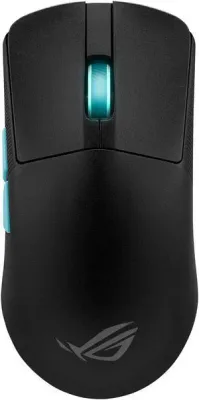
Two more worth a look
The bottom line
The Viper V4 Pro is the fastest mouse you can buy and the Attack Shark V8 is the fastest mouse most people should buy - the measurable gap between them is real and small, and the price gap is real and large. The Superstrike matches them with a tunable click and a September succession rumor attached, and the DeathAdder covers the palm-grip half of humanity the other flagships ignore. Whatever you pick, remember the order of operations: frame rate first, monitor second, mouse third. Speed you cannot see is speed you did not buy.
Related reading
- The best gaming mouse in 2026 - the shape-and-budget guide, for when speed is not the only question
- The best 1440p gaming monitor in 2026 - the refresh rate that makes 8K polling visible
- Free bottleneck checker - confirm your system can feed the frames before you buy the margins
Found this useful? Pass it along:
Frequently Asked Questions
What is the fastest gaming mouse in 2026?
The Razer Viper V4 Pro is the fastest complete package: true 8K wireless polling, Gen-4 optical switches with near-zero debounce delay, and a light chassis. The Attack Shark V8 delivers most of that speed for around $42.
Does 8K polling actually make a difference?
On a 240Hz or faster monitor, yes - the cursor updates 8 times per millisecond instead of once, which shows up as measurably smoother tracking in published tests. On a 60Hz or 144Hz display the difference is essentially invisible, so buy the monitor first.
Are optical mouse switches faster than mechanical ones?
Yes, by a small but real margin. Mechanical switches need debounce time - typically a few milliseconds - to avoid registering one click as several. Optical switches fire on a light beam and skip debounce almost entirely, so the click registers sooner.
What polling rate do the pros use?
Most professionals play at 1000Hz or higher, and 8K-capable mice are increasingly standard issue at the top level. The honest read: pros would still beat you at 125Hz. Polling is a marginal gain, and margins only matter once your aim is already good.