Do You Need a UPS for Your Gaming PC? (Probably, and Here's the Right One)
Some links in this guide are affiliate links - we may earn a commission at no extra cost to you.
Nobody puts a UPS on the build list. You spend months choosing a GPU, agonize over RAM timings, and then leave the whole $2,000-plus machine hanging off a wall socket that a summer storm can yank out from under it in a tenth of a second. A UPS (uninterruptible power supply) is a battery that sits between the wall and your PC, takes over instantly when the grid hiccups, and gives you the minutes you need to save and shut down like nothing happened.
The honest framing is insurance. A good pure sine wave unit costs a fraction of what your GPU alone did, and the thing it protects is not just the hardware - it is the unsaved work, the ranked match, the Windows install, and the data on a drive that hates losing power mid-write. This guide is the reasoning first: what a power event actually does to a PC, the one spec that matters, and how to size a unit for your build. The two units worth buying are at the end, after you know why.
What a power event does to your PC (and your SSD)
"Power event" covers more than a full blackout, and the small ones cause most of the damage:
- Outages - the power is simply gone. Everything running in memory vanishes.
- Brownouts - voltage sags below spec for seconds or minutes. Your PSU fights to hold output and can trip or reboot.
- Flickers - a sub-second dropout you barely register on the lights, but long enough to hard-reset a PC that has no battery behind it.
A desktop has no internal battery, so any of these is an instant, uncontrolled power cut. Best case you lose whatever was open. Worse cases stack up from there. A file being written when the power dies can be left half-written and corrupt. A filesystem caught mid-update can need a repair pass on the next boot. An OS update or a game patch interrupted at the wrong moment can leave you reinstalling.
SSDs deserve special mention because people assume "no moving parts" means "safe," and it does not. A modern SSD keeps a mapping table that tracks where your data physically lives, and it buffers writes before committing them. Pull power at the wrong instant and you can lose the in-flight write and, on consumer drives without power-loss protection, occasionally scramble the mapping itself. Most drives survive most cuts. The point of a UPS is that you stop rolling the dice at all.
Surge protector vs UPS: two different jobs
These get shopped as if they compete. They do not do the same thing.
A surge protector clamps voltage spikes - the sharp overvoltage from a nearby strike or a big appliance kicking on. That is genuinely useful, and it is cheap. What it cannot do is add power. When the voltage drops or disappears, a surge protector passes that straight through, and your PC goes down.
A UPS does the surge protector's job and then adds the part that matters for a power cut: a battery that carries the load through the gap. Dips, brownouts, flickers, and full outages all get bridged. The two picks below also regulate voltage, smoothing sags and swells before they ever reach your PSU.
Rule of thumb: if your power is genuinely boring and you just want spike protection, a quality surge protector is fine. If you want to survive the outage itself without losing what you were doing, only a UPS does that.
The one spec that is non-negotiable: pure sine wave
This is the trap that catches gamers specifically, so read it before you buy anything.
Your quality PSU - anything 80+ Gold, like we recommend in every build and the PSU wattage guide - uses Active PFC (power factor correction) circuitry. Active PFC expects a clean sine wave from the wall. Cheaper UPS units, to save on the inverter, output a blocky, stepped approximation on battery called a "simulated" or "stepped" sine wave. An Active PFC PSU can look at that waveform, decide it is bad power, and shut off on the spot. Your budget UPS just turned a two-second flicker into the exact hard shutdown it was supposed to prevent.
You avoid all of it by buying a pure sine wave model. That is the whole decision. It costs more because the inverter is genuinely better, and it is the one spec you do not compromise on for a gaming PC.
While you are reading spec sheets, mind the topology too. Most home units are line-interactive, which means they run your PC off wall power normally, trim minor over- and under-voltage with a built-in transformer, and switch to battery only when the power actually fails. That is the right and cost-effective design for a home gaming rig. (The pricier "online" or double-conversion units run everything through the battery full-time for zero switchover; that is server-room gear you do not need.) The spec that matters for you is not line-interactive versus online - it is pure sine wave versus simulated. Get the sine wave right and topology takes care of itself.
One caveat when comparing brands: a few otherwise-fine lines ship some SKUs with simulated output. Read the exact model's spec, not the family reputation, before you commit.
Sizing it: watts, not VA
UPS marketing leads with VA (volt-amps) because the number is bigger and looks better. The figure that actually governs whether the unit can carry your PC is watts. A "1500VA" unit might only be rated for 900-1000W of real load, and that watt number is your ceiling.
The method is simple:
- Find your PC's real draw. The PSU calculator gives you your system's actual load from your parts list in one click - the same number you already used to size your power supply.
- Multiply by 1.25 to 1.5. Headroom keeps the UPS out of its stressed zone and buys you runtime. A 450W system wants roughly 600-800W of UPS capacity, which a 1500VA unit delivers comfortably.
- Wire it right. PC and monitor go on the battery-backed outlets; printers, speakers, and chargers go on the surge-only side. Never plug a laser printer into the battery side - its startup surge will overload the inverter instantly.
What size UPS for your build
Use this as a starting map. Find your PC's real draw on the left, and read across. Runtime figures are the time to save your work and shut down cleanly, not to keep gaming.
Free to cite with a link to bottleneckpc.com.
| Your PC's real draw | Target UPS wattage (1.25-1.5x) | Typical unit | Runtime to save + shut down |
|---|---|---|---|
| ~250W (esports / entry build) | 350-450W | 600-900VA pure sine wave | 15-25+ min |
| ~350W (1440p mainstream) | 450-600W | 1000-1350VA pure sine wave | 10-18 min |
| ~450W (high-refresh 1440p) | 600-800W | 1500VA pure sine wave | 7-12 min |
| ~600W+ (4K, RTX 5080 / 5090 class) | 800-1000W+ | 1500VA pure sine wave, minimum | 4-8 min |
The takeaway from that table: a 1500VA pure sine wave unit is the right answer for the large majority of gaming PCs, from mainstream 1440p rigs up to serious 4K builds. Only genuinely low-power machines can safely drop to a smaller unit, and the very highest-draw builds should treat 1500VA as the floor rather than the target.
A word on runtime, because expectations trip people up: a UPS is not a generator. A 1500VA unit runs a 400-500W gaming load for roughly 5 to 11 minutes. That is deliberately enough to save, exit, and shut down properly, and no more. If you want to keep working through longer outages, that is a job for a bigger unit with extended battery packs or an actual generator, not a consumer tower UPS.
Who can skip a UPS
Being honest cuts both ways. If your power grid is genuinely uneventful - no storms, no flickers, no aging neighborhood wiring - and you play games that autosave, a quality surge protector covers most of the practical risk for a fraction of the cost.
The case for a UPS gets strong fast when any of these are true: you stream or create and a dropped session costs you real audience or hours of work, you run a NAS or home server that hates unclean shutdowns, your area sees summer storms or brownouts, or you have simply been burned once already. Almost nobody buys a UPS before their first eaten session. Almost everybody buys one after.
The five units actually worth buying
If you have decided you want one, the choice is refreshingly small. These three are all pure sine wave and all sized right for a typical gaming rig. What changed since our last pass is the spread between them: the APC has drifted about $90 above the CyberPower, so the old advice to treat them as interchangeable and grab whichever is cheaper now has a clear default.
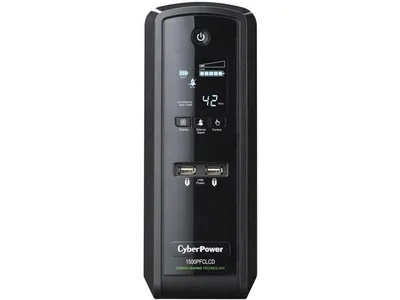
This is the default answer in every "which UPS" thread for a decade, and it is still correct. You get 1500VA/1000W of pure sine wave output, twelve outlets split between battery-backed and surge-only, a status LCD that tells you load and estimated runtime at a glance, and PFC compatibility printed right in the model name so you cannot buy the wrong version by accident. It runs a typical gaming rig long enough to save and shut down, which is the entire job.
Street price has crept to about $240 from the $220 we quoted in July, which is the same NAND-and-components pressure showing up everywhere else in a build. The connected-equipment guarantee still backs the whole thing up if a surge gets past it. My only real advice is to ignore the inflated third-party listings that appear when stock gets thin - this is a $240 unit, not a $320 one, so wait a day for the price to reset rather than overpay.
The catch: The battery wants replacing every four years or so, and the low-power beeper is genuinely loud until you disable it in the software.
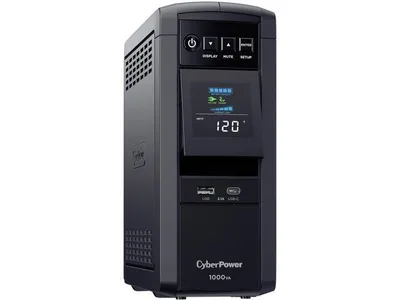
If your machine sits in the ~250W to ~350W band - an esports rig, a 1080p build, a small form factor box with a 60-class card - this is the honest size and you should not pay for headroom you will never draw. 1000VA/600W of pure sine wave, the same LCD and PFC compatibility as its bigger siblings, around $180.
We used to mention this one in passing at "around $150." That number is stale and this pass corrects it: it is $180 now, which narrows the gap to the 880W CP1350 above to about $40. If there is any chance of a GPU upgrade in this machine's future, spend the $40.
The catch: 600W of usable output is a real ceiling - it covers the top two rows of the sizing table and nothing above them, so a 1440p build with a big GPU will outgrow it.
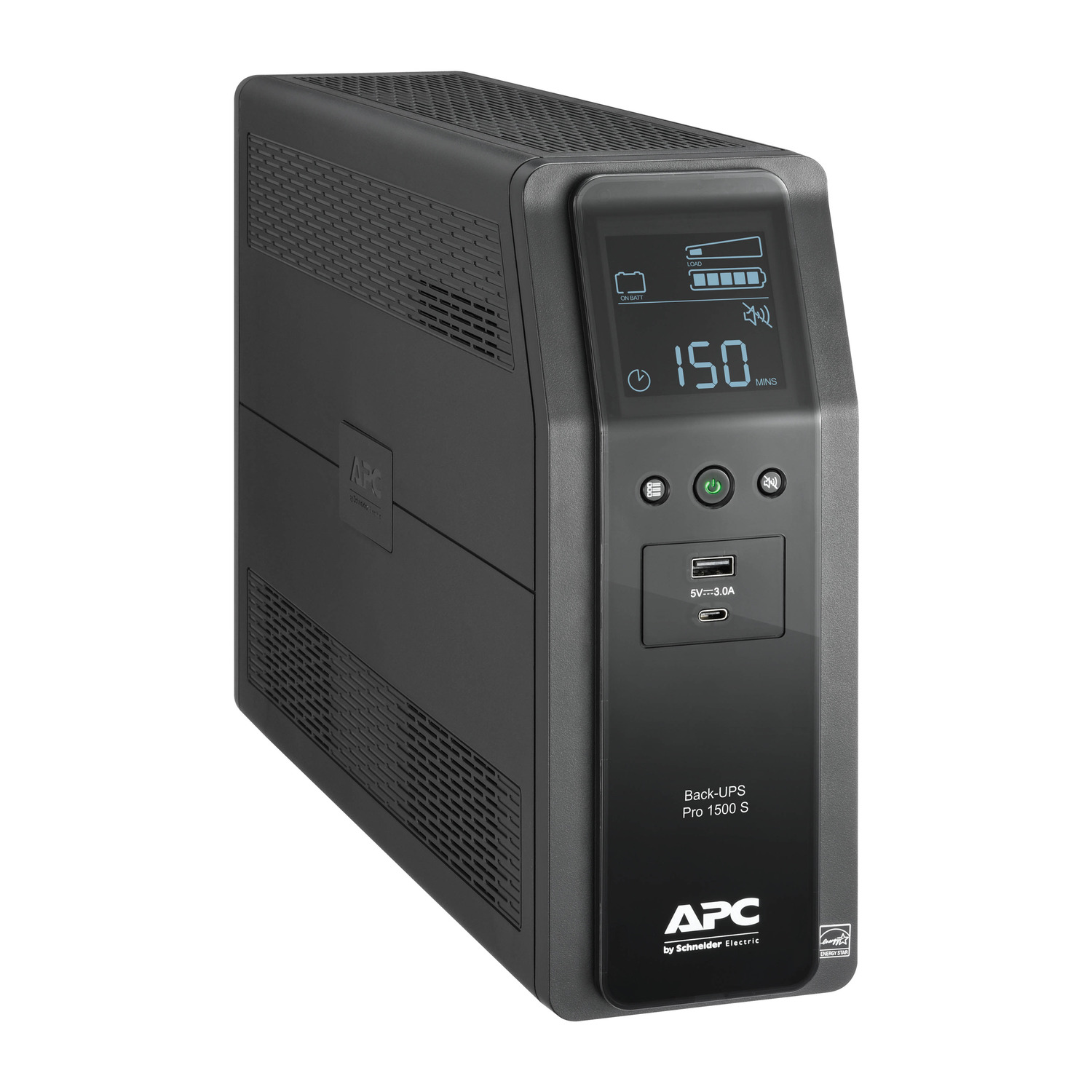
APC's equivalent does everything the CyberPower does with a slightly different spec sheet: 1500VA/900W pure sine wave, ten outlets, gigabit-rated data line protection, and thirty years of being the brand IT departments reach for without thinking. It runs about eleven minutes at a 500W load, which is a comfortable margin over "save and quit."
I used to treat these two as functionally interchangeable, and on spec they still nearly are. The price no longer cooperates: at about $330 against the CyberPower's $240 you are paying roughly 40% more for 100W less usable output. Buy it if your shelf is already APC and you want one management tool for everything, or if you catch it discounted back to parity. Otherwise the CyberPower is the buy.
The catch: Less usable wattage than the CyberPower (900W vs 1000W) and it now rings up about $90 more, which is hard to justify unless you specifically want the APC name.
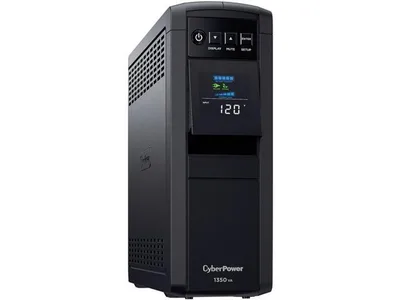
Added in August, and it is here because of the price drift above. The CP1350PFCLCD is the same pure sine wave design as the standard pick with 1350VA/880W instead of 1500VA/1000W, and it lands around $220 - roughly what the 1500 cost before it moved. For a mid-range build pulling 400 to 500W under load, 880W of usable output is still comfortable margin, and the LCD, the outlet split and the PFC compatibility are all unchanged.
The honest framing: this is not a better UPS, it is the same UPS with less headroom for less money. If your build sits under about 550W that costs you nothing real. If you are running a flagship GPU, spend the extra $20 on the 1500 and stop thinking about it.
The catch: You give up 120W of headroom against the 1500, so a flagship build running near its ceiling should step up rather than save the $20.
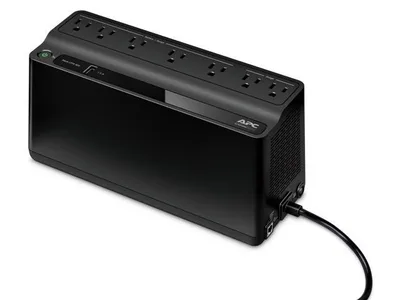
Different job, and worth doing on purpose. If the PC is not really your worry but losing internet mid-match is, a small unit on the router and modem keeps you connected through the short flickers that account for most outages. It also means a desktop UPS does not have to carry your network gear, which buys the big unit real runtime back.
The correction on this one is larger than the last: we previously listed it at "around $60"; the August pass corrected that to $103 and it has since eased to about $84. That is still cheap for what it does, but it is no longer the impulse buy the old number implied.
The catch: Simulated sine wave and 330W of output - fine for network gear, wrong for a gaming PC with an Active PFC power supply. Do not let the low price tempt you into using it as one.
One more brand is worth knowing about, and one trap is worth avoiding. Tripp Lite's SMART1500LCD is a legitimate third option at roughly the size of our standard pick, but confirm the exact SKU before buying, because the SmartPro line is not uniformly pure sine wave and the model numbers are close enough to catch you out.
The trap is the AVR models. CyberPower sells a CP1500AVRLCD alongside the CP1500PFCLCD and an AVR version of the CP1350 too, usually $20 to $40 cheaper, and the model numbers differ by four characters. Those are simulated sine wave. On a modern Active PFC power supply a simulated sine wave can cause the PSU to stutter or shut down on transfer to battery, which is precisely the moment you needed it to work. If the model name does not say PFC or Sinewave, it is the wrong one - and the discount is exactly the bait.
Size it with your real numbers
The single most useful thing you can do before buying is stop guessing at wattage. Run your parts through the PSU calculator to get your build's real draw, then apply the 1.25-1.5x rule from the table above. Still spec'ing the machine itself? The build-a-pc tool lays out a balanced parts list with live prices, and the power number it produces is the same one that sizes your UPS.
The bottom line
A UPS is the cheapest insurance in your build, and the reasoning collapses to a few clear rules. Pure sine wave is non-negotiable, or an Active PFC PSU can reject the battery output at the worst possible moment. Size by watts, not VA, at 1.25 to 1.5 times your real draw, which for most gaming PCs lands squarely on a 1500VA unit. Expect minutes for a clean shutdown, not hours of continued play. And decide honestly whether your grid and your habits actually warrant it - a surge protector is enough for some people, and a full UPS is obvious for anyone who streams, runs a server, lives with storms, or has already lost a session once. If you are in that second group, buy pure sine wave, size it right, and forget it exists until the day it quietly saves you.
Related reading
- What PSU do I need? Wattage guide - size the power supply the UPS is protecting
- PSU calculator - your build's real wattage in one click, the number that sizes the UPS
- Build a PC - balanced parts lists with live prices
Found this useful? Pass it along:
Frequently Asked Questions
Do I need a UPS for my gaming PC?
If you have ever lost work or a game session to a flicker, or your area sees storms and grid dips, yes - a UPS rides through outages and gives you minutes to save and shut down cleanly. If your power is rock solid year-round, a good surge protector covers the basics for a tenth of the price.
Why does a gaming PC need a pure sine wave UPS?
Modern 80+ Gold and better power supplies use Active PFC circuitry. On battery power, a cheap UPS outputs a stepped 'simulated' sine wave that Active PFC PSUs can reject as bad power, shutting your PC off at the exact moment the UPS was supposed to save it. Pure sine wave output avoids this completely - it is the one spec that is non-negotiable.
How many watts should my UPS be?
Aim for a UPS whose watt rating (not VA) is at least 1.25-1.5x your PC's real draw. A typical midrange gaming PC drawing 450W under load wants a 900-1000W unit like a 1500VA model. Use our PSU calculator to get your actual system draw - it is the same number that sizes your UPS.
Does a UPS protect against lightning?
It includes surge protection and handles the common cases - dips, brownouts, and cutouts - but nothing consumer-grade truly stops a direct nearby lightning strike. For storms, the UPS's job is graceful shutdown; unplugging during the worst of it remains the only real guarantee.
How long will a UPS run my gaming PC?
Do not expect to keep gaming. A 1500VA unit runs a 400-500W gaming load for roughly 5-11 minutes - enough to save, exit, and shut down properly. Idle or light loads can stretch to 20+ minutes. The point is a clean landing, not a generator.