Build Your Own Steam Machine: The Complete 2026 Guide
Some links in this guide are affiliate links - we may earn a commission at no extra cost to you.
Valve spent a decade making "Steam Machine" mean nothing, then quietly made it mean something again. On June 23rd, 2026, SteamOS 3.8 shipped with an installer that runs on ordinary desktop hardware, and Valve's own FAQ now says you can use whatever PC parts you want.
There is one condition, and it decides your entire build: the graphics card has to be AMD.
This is the full walkthrough. What the thing actually is, how it runs games written for Windows, three parts lists at prices we track ourselves, the install step by step, and an honest list of what still does not work.
The short answer
A Steam Machine is a PC in a console's clothing. Same parts you already know, running SteamOS instead of Windows, booting straight into a controller-driven interface on your TV instead of a desktop.
Valve sells one for $1,049. You can now build one.
What SteamOS actually does
Here is the part most guides skip, and it is the part that makes the whole idea work.
Your games are Windows games. SteamOS is Linux. Nothing about your Steam library was written for it. The bridge is Proton, a compatibility layer that translates Windows and DirectX instructions into things Linux understands, live, as the game runs.
How a Windows game runs on SteamOS
Nothing is emulated. Each layer hands the one below it something it already understands, which is why the performance cost is usually single digits rather than the half-speed people expect.
The word people expect here is "emulation", and it is the wrong word. Nothing is being pretended at. Each layer hands the one below it a set of instructions it already speaks natively, which is why the performance cost usually lands in single digits rather than the half-speed hit that emulation implies. Some titles even run marginally faster than they do on Windows.
That translation is also why the AMD rule exists. The open-source AMD driver is baked into SteamOS and maintained alongside it. NVIDIA's is not, yet.
The one hard rule: AMD only
If you take nothing else from this page, take this:
- AMD graphics card: supported, though Valve still labels discrete AMD support beta
- NVIDIA: not supported. Valve says it is working on it, and reporting points at 2027
- Intel Arc: not supported
Your CPU vendor does not matter. Intel or AMD processors are both fine. It is only the GPU that is fixed, and it is fixed hard - this is not a "works with effort" situation, it is the installer's requirement.
Sitting on an NVIDIA card already? Bazzite is the community-built SteamOS-alike that does support NVIDIA, gives you a near-identical couch experience, and asks for a bit more patience in exchange.
What actually runs
What actually runs
The blocker is almost never the hardware. It is whether the publisher ticked a box for Linux anti-cheat.
The honest headline: nearly your whole single-player library works, and a specific slice of competitive multiplayer does not.
The blocker is kernel-level anti-cheat. Both of the big vendors, Easy Anti-Cheat and BattlEye, do support Linux. Whether a given game works comes down to whether its publisher flipped that switch. Epic never did for Fortnite, despite the technical work being finished. Riot's Vanguard does not run on Linux at all, which takes out League of Legends, Valorant and Teamfight Tactics in one move.
So the question to ask before you spend a penny is not "is my PC fast enough". It is: do I play any of those five games? If yes, this box is your second machine, not your only one.
Check anything you are unsure about on ProtonDB, which aggregates player reports per title, or GamingOnLinux's anti-cheat list, which tracks the publisher-by-publisher state of play.
Three builds, at prices we actually track
All three use an AMD GPU because they have to, and all three are sized for a box that lives under a TV. Prices are what our pipeline verified from first-party listings this week, not launch MSRPs.
One admission up front, because it changes the maths: DDR5 memory is expensive in 2026. A 16GB kit that ran about $80 two years ago last sold on our tracker at ~$250, and as of mid-September no brand-name 16GB kit is in stock at all, so the lists below carry a 32GB kit at the ~$395 floor. That single line item is why building a Steam Machine no longer undercuts buying one.
Build 1: the 1080p couch box - about $1,650
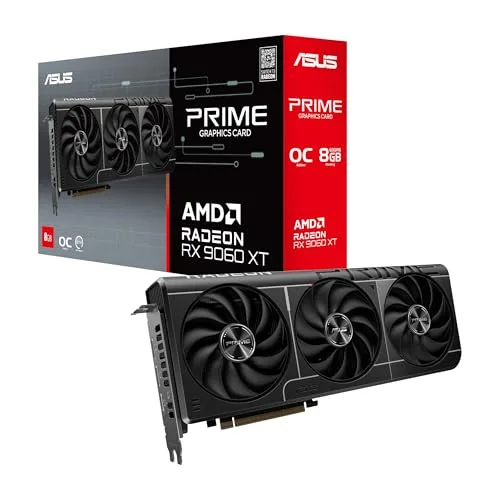
THE GPU
AMD Radeon RX 9060 XT 16GB
16GB of VRAM at the price most cards give you 8. On a TV box that memory is insurance: it is what lets you leave texture quality high years from now without the stutter that a starved 8GB card develops.
THE CPU
AMD Ryzen 5 7500F
Six Zen 4 cores, which is exactly what Valve put in the retail Steam Machine. It has no integrated graphics, and in a box with a dedicated GPU that is a discount rather than a compromise.
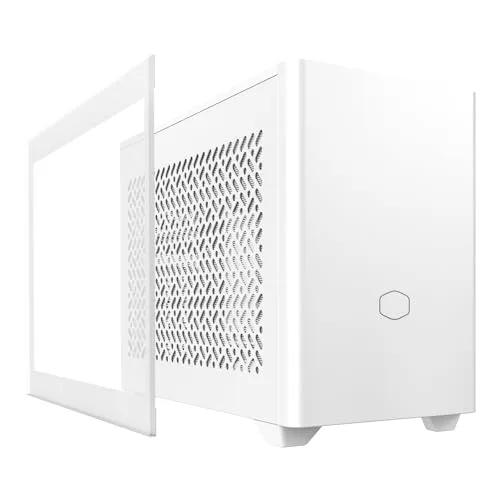
THE CASE
Cooler Master NR200P
The mini-ITX case that made small builds approachable. It takes a 330mm graphics card, which covers every GPU on this page, and it does not require you to build it in a specific order like some sandwich-layout cases do.
Round it out with 32GB of DDR5-6000 (about $395 at the floor - we would have said 16GB, but no brand-name 16GB kit is in stock on our tracker as of mid-September), a 1TB NVMe drive (about $190 - SteamOS wants one dedicated drive, so buy the capacity you want now), a B650 mini-ITX board (about $180) and a 550W SFX power supply (about $100).
Build 2: the 1440p sweet spot - about $1,835
Same case, same CPU, same everything except the card. Step up to the RX 9070 and you get a genuine 1440p high-refresh machine that still fits in a box you can carry with one hand.
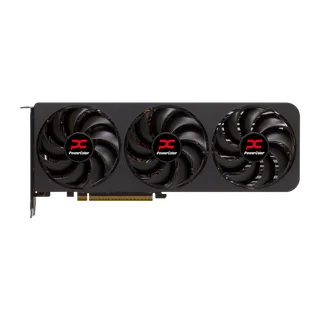
Build 3: the 4K living room box - about $1,965
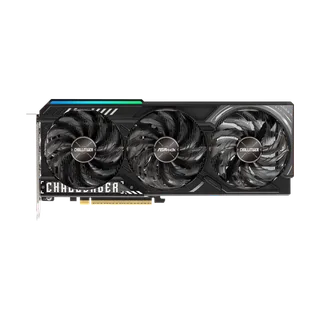
Prefer to spend less on the card and more on the box? A used RX 7900 XT is the interesting play here: it scores 82 to the 9070 XT's 84, and second-hand is where those cards actually trade now.
Fitting it all in a console-sized box
The three measurements that decide a console-sized build
Mini-ITX punishes guessing. Check these against the case spec sheet before you buy anything.
Mini-ITX is where first-time builders get caught out, and it is always one of three measurements. Every case lists all three on its spec page. Write yours down before ordering:
- Maximum GPU length. The number that ruins builds. The NR200P takes 330mm; several RX 9070 XT models are longer than that.
- Maximum CPU cooler height. Small cases mean short coolers. A 120mm AIO or a low-profile air cooler is the usual answer.
- Power supply format. Most ITX cases need SFX, not the ATX unit you may have lying around. They are not interchangeable.
Our PC case finder filters on exactly these, and the PSU calculator will size the supply for whichever card you land on.
Installing SteamOS, step by step
The build is the hard part. The install genuinely is not - hands-on accounts describe it as one of the smoother OS installs going, with no driver hunting at all.
- Download the SteamOS image from Valve's official SteamOS page.
- Write it to a USB stick. Rufus on Windows, Balena Etcher on Mac or Linux. Any 8GB stick does.
- Disable Secure Boot in your BIOS. This is mandatory, and it is the step people miss. It usually sits under Boot or Security.
- Boot from the USB stick. Mash the boot-menu key at power-on: F12, F11 or Del depending on your board.
- Choose "Wipe Device & Install SteamOS". It takes the whole drive. This is why you give it a dedicated one.
- Wait, then sign in to Steam. The system reboots into the console interface and starts downloading games.
Two caveats worth knowing before you commit a drive:
- Dual-boot is not supported. The installer is built for a single dedicated disk.
- Custom desktop installs are beta. Valve labeled them that deliberately. Expect the odd rough edge on hardware nobody at Valve has tested.
The rough edges nobody mentions
A hands-on build published by PCWorld is the most useful reality check available, and two of its findings will matter to you in the living room:
- No wake-on-controller. You cannot flop onto the sofa and press a button to wake the machine, the way a console does. You get up.
- No HDMI-CEC. Your TV will not switch inputs or power on with the PC. Again, consoles do this and your Steam Machine will not.
- Power draw is a PC's, not a console's. That build measured around 400W against roughly 150W for Valve's retail box. A living-room machine you leave on is a real line on the electricity bill - our power cost calculator will put a number on it for your rates.
None of those are dealbreakers. All of them are things you would rather learn now than after the parts arrive.
So should you build one or buy Valve's?
Honestly? If you want a small silent box that plays Steam games on a TV and you never intend to open it again, buy Valve's. It is $1,049, it is tested, and it does the CEC and wake-behavior things a console should do.
Build your own when you want something the retail box cannot give you: more than 8GB of video memory, a card you chose, an upgrade path, and a machine that is still a full PC when you want it to be. That is the trade, and at these memory prices it is no longer a money-saving one.
We ran the full price-for-price comparison when Valve announced pricing: the Steam Machine is $1,049, here is the PC you could build instead.
Before you buy anything
Two checks, both free, both ours:
- Run your intended CPU and GPU through the bottleneck calculator so the pair is balanced before you order. A 9070 XT behind a four-core processor is money left on the table.
- Check the specific card you are considering on its own page - RX 9070 XT, RX 9070, RX 9060 XT - for live board-partner pricing and what else sits near it.
And check the five games. Everything else on this page is solvable with money. That part is not.
Related reading
Found this useful? Pass it along:
Frequently Asked Questions
Can I install SteamOS on my own PC?
Yes, as of SteamOS 3.8 on June 23rd, 2026. Valve updated its Steam Machine FAQ to confirm support for whatever PC parts you want, on one condition: the graphics card has to be AMD. Custom desktop installs are still labeled beta, so expect rough edges rather than a finished console experience.
Does SteamOS work with an NVIDIA graphics card?
Not yet. Valve says only AMD GPUs are supported today and it is working on NVIDIA support, with reporting pointing at 2027. Intel graphics are unsupported too. If you have an NVIDIA card and want the console experience now, Bazzite is the community-built alternative that does support NVIDIA.
Can I dual-boot SteamOS and Windows?
Not officially. The installer is built around wiping a single dedicated drive, and Valve's intended setup is a TV-connected, controller-driven box. People do run dual-boot setups on separate drives, but you are off the supported path and updates can break it.
What games will not run on a Steam Machine?
The blocker is kernel anti-cheat that publishers have not enabled for Linux. Fortnite, Valorant, League of Legends, Teamfight Tactics and PUBG do not run. Both major anti-cheat vendors support Linux, so it is a publisher decision rather than a technical wall. Check any game on ProtonDB or Valve's Deck Verified rating before you build around it.
How much does it cost to build a Steam Machine?
Our 1080p list comes to about $1,650 with current prices, the 1440p list about $1,835, and the 4K list about $1,965. DDR5 memory is the reason those numbers are higher than they would have been in 2025 - there is no in-stock brand-name 16GB kit on our tracker at all as of mid-September, so the lists carry a 32GB kit at the ~$395 floor, against about $80 for a 16GB kit two years ago.
Is it cheaper to build a Steam Machine than to buy Valve's?
No, not at the entry point, and anyone telling you otherwise has not priced memory recently. Valve's 512GB Steam Machine is $1,049 and our comparable build lands around $1,650. You build one for the upgrade path, the parts you chose, and the fact that it is a whole PC - not to save money.