The Best Gaming Projectors in 2026: Big-Screen Gaming Without the Lag Tax
Some links in this guide are affiliate links - we may earn a commission at no extra cost to you.
For years the honest advice about gaming on a projector was "don't" - cinema projectors buried your inputs under 50ms of motion processing, and the picture paid for its size in mush. That advice is now out of date. The 2026 laser generation ships real game modes, real 240Hz support, and input lag numbers that would embarrass some TVs.
The one spec that separates a gaming projector from a movie projector wearing a gamer skin is input lag in game mode, and it is the first number quoted for every pick below. After that come the things projectors uniquely offer: image sizes from 100 to 150 inches, laser light sources that never need a lamp swap, and short-throw or ultra-short-throw (UST) designs that solve the "someone walked in front of the screen" problem.
Our stance up front: for ranked competitive play, a monitor still wins and it is not close - see the 1440p monitor guide for that money. A projector buys something different: couch games, sim rigs, split-screen nights, and single-player worlds at ten feet wide, which changes those experiences more than any panel spec ever has.
How we rank: published input-lag measurements and reviews first (we aggregate the projector labs' numbers, not our own bench), then brightness and color credibility, then price at what these actually sell for this week. Every pick has a working game mode we would trust for real play.
The short version
For a living room that games, the Hisense PX3-Pro is the pick: an ultra-short-throw triple laser designed around the Xbox program, with 240Hz support and roughly 12ms of lag. For a dedicated game room where pure speed rules, the BenQ X500i at ~$1,500 is the fastest thing in the category. On a budget, the JMGO N1S Ultra puts a 4K triple laser on a gimbal for flagship-phone money.
For the living room wall: Hisense PX3-Pro
This is the projector for the household that wants one screen for everything and wants it huge. It sits inches from the wall and paints 80 to 150 inches of TriChroma triple-laser image, carries Google TV and Dolby Vision and Atmos like a flagship TV would, and - the part that earns its spot here - takes gaming seriously: it is certified under the Designed for Xbox program, supports a 240Hz high-refresh mode, and posts input lag around 12ms in game mode. That is not "fine for a projector." That is fine, period.
The honest math is about the room, not the spec sheet. At 3,000 ANSI lumens it holds up in normal evening lighting, but sun-flooded rooms want an ALR screen, which adds real money to the ~$1,960 the projector itself runs. Price that in before comparing it to a big TV: a 100-inch image the whole couch can share is the thing a TV still cannot do at this money.
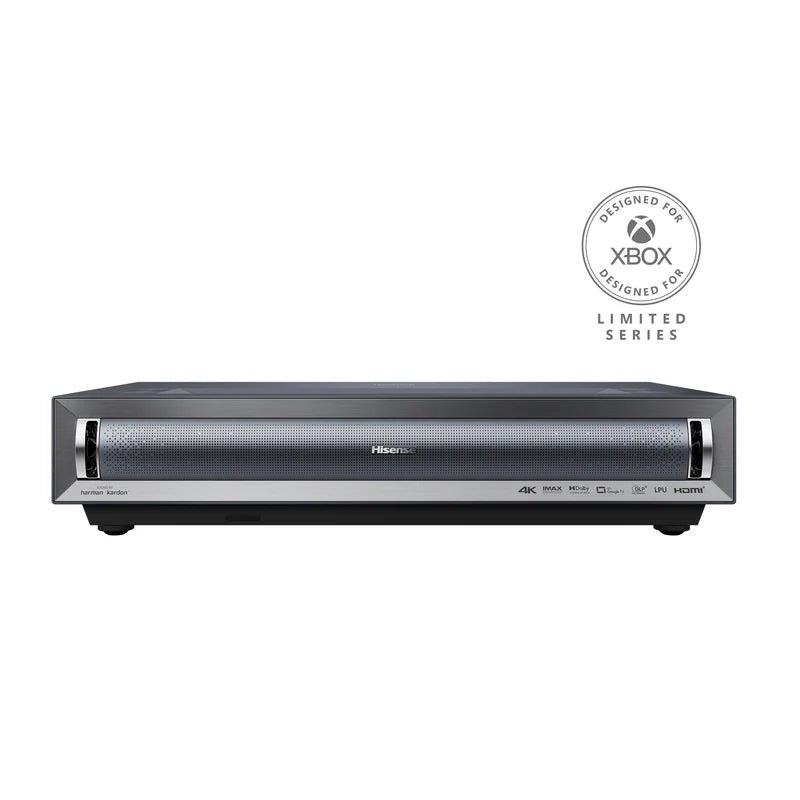
Designed-for-Xbox UST with 240Hz support and ~12ms lag, wearing a flagship TV's feature set. The one-screen-for-everything answer.
The catch: Bright rooms want an ALR screen on top of the projector price - budget the system, not the box.
For the dedicated game room: BenQ X500i
If the projector's job is gaming first, this is the reference. BenQ built the X-series specifically for players, and the X500i's numbers read like a monitor's: about 4.2ms of input lag at 1080p/240Hz and 16ms at 4K/60. The short-throw optics put a 100-inch image on the wall from about six and a half feet, which fits a spare bedroom, and the 4K triple-color-wheel image is genuinely sharp when you slow down for single-player.
What it is not is a TV replacement. There is no UST party trick, the built-in smarts are forgettable next to Google TV, and it wants a reasonably controlled room to shine. That focus is also why it wins its slot: at ~$1,500 nothing else here matches its speed, and for a sim rig or a couch-competitive setup the speed is the entire point.
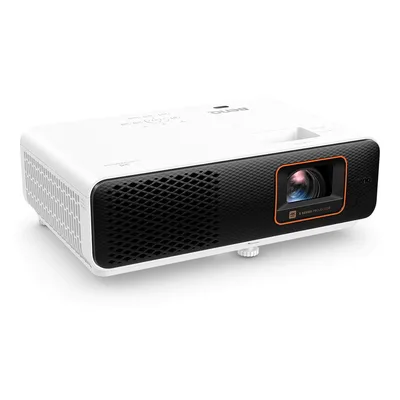
4.2ms at 1080p/240Hz. The projector that plays like a monitor, for the room built around playing.
The catch: Gaming-first means TV-second: modest smart features and a need for placement distance and light control.
The value surprise: JMGO N1S Ultra
The spec sheet reads far above the street price: a 4K triple-laser image at 2,800 ISO lumens, HDMI 2.1 with eARC, and a built-in gimbal stand that aims the image anywhere while auto-keystone squares it up. In game mode it runs about 17ms at 120Hz - not esports-grade, comfortably fine for everything short of ranked shooters. It lists at $2,499 but streets around $1,200 now, which at 4K-triple-laser quality is the best deal in the category.
Two honest cautions. Seventeen milliseconds is real but not heroic - the BenQ exists for people who will feel the difference. And JMGO's software polish trails the big brands; treat the smart-TV layer as a bonus, not the product. Buy it as the movable big-screen that games well, and it overdelivers.
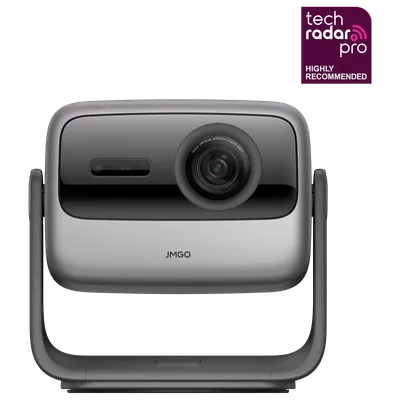
A gimbal-mounted 4K triple laser that streets near half its list price. The budget answer that does not look like one.
The catch: 17ms is fine-not-fast, and the smart-TV software trails Google TV - the picture per dollar is what you are buying.
The flagship swing: AWOL Vision Aetherion Max
AWOL's new Aetherion series replaced its LTV line this year, and the Max is the UST to cross-shop against the Hisense when the budget stretches. The gaming case is specific and strong: VRR support, ALLM, Dolby Vision gaming, and a manufacturer-rated 1ms ultra-low-latency mode - numbers no other UST here claims. Around it sits a 3,300-ISO-lumen RGB triple laser covering 110% of Rec.2020, which is reference-projector color territory.
At $4,049 it costs roughly double the PX3-Pro, its smart platform is thinner, and the 1ms figure is the manufacturer's own - independent measurements of the Aetherion line are still filling in, which is worth knowing before you spend four grand on the promise. If the claim holds the way the LTV line's game mode did, this is the fastest UST you can put in a living room.
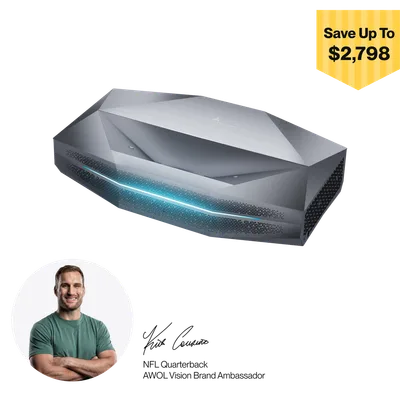
VRR, ALLM, and a rated 1ms mode on a 3,300-lumen RGB laser. The spec-sheet king of gaming USTs, pending the lab receipts.
The catch: The 1ms figure is AWOL's own rating and the Aetherion line is new - independent measurements are still landing.
What to skip, and one bill to expect
Skip lamp projectors entirely - the laser generation is brighter, instant-on, and never bills you $150 for a bulb. Skip anything without a named game mode; cinema processing is where the 50ms horror stories come from, and no amount of resolution fixes late inputs. Skip pico "gaming" projectors under ~500 real lumens; they are camping toys. And whatever you buy, turn motion smoothing OFF for games even outside game mode - MEMC is the single biggest hidden lag source.
One cost nobody quotes: these are 200-350W devices at the wall, running for every session. That is monitor-plus-GPU territory, and at long daily hours it shows up on the bill - the power cost calculator will tell you what your setup actually costs to run each month.
The bottom line
The PX3-Pro is the projector most gaming households should buy: one box, TV-grade features, and lag numbers that respect your inputs. The X500i is the pick when gaming is the room's whole job, the N1S Ultra is the deal, and the Aetherion Max is the flagship bet for those who want the UST spec ceiling. All four clear the bar that mattered: you can play on them without feeling the screen fight back.
Related reading
- The best 1440p gaming monitor in 2026 - where the competitive money should go instead
- Power cost calculator - what 300 laser watts a night actually costs you
- Free bottleneck checker - make sure your PC can feed 100 inches before you buy them
Found this useful? Pass it along:
Frequently Asked Questions
Are projectors good for gaming now?
Genuinely yes, with the right model. Dedicated game modes on 2026 laser projectors hit 4-17ms of input lag - the same territory as gaming TVs - and short-throw designs run 1080p at 240Hz. The catch is ambient light: projectors still want a dim room or an ALR screen to look their best.
What input lag is acceptable for gaming on a projector?
Under 20ms feels responsive for almost everyone; under 10ms is effectively monitor territory. What you are avoiding is the 50-100ms of cinema-tuned projectors with motion smoothing left on - always enable game mode, which disables the processing that causes it.
What is an ultra short throw projector and is it better for gaming?
UST projectors sit inches from the wall and beam upward, so nobody walks through the image and setup is TV-simple. For gaming they are the living-room pick. Standard and short-throw projectors are cheaper per lumen and often faster - the BenQ short-throw in this guide has the lowest lag here - but need placement distance.
Do I need a special screen for a gaming projector?
For a dark dedicated room, a plain white wall or cheap matte screen works. For a bright living room, an ALR (ambient light rejecting) screen makes a dramatic difference with UST projectors - it is the difference between a washed-out image and a TV-like one. Budget $300-800 for one, or look for bundle deals.