Best CPU for RTX 5070: Maximum FPS at Every Budget
Some links in this guide are affiliate links - we may earn a commission at no extra cost to you.
The RTX 5070 is a 1440p card. That one fact should decide your CPU budget - and yet most pairing advice ignores it and reflexively tells you to bolt the most expensive gaming chip on the shelf to a mid-tier GPU. At 1440p the graphics card is doing the heavy lifting, and a $220 processor keeps it fed just fine. Spending $449 on the CPU instead buys you a spec-sheet flex, not a frame rate you'll ever see on your monitor.
There's a whole cottage industry built around chasing a "0% bottleneck" number, and it's mostly theater. Pairing a 99-rated CPU with an 82-rated GPU doesn't create a problem - it creates headroom the 5070 can't use. What actually matters is whether the CPU can hand the GPU frames fast enough that the card stays pinned at 100% utilization. Once a chip clears that bar, a faster one adds frame-pacing polish and future-proofing, not raw average FPS in the games you'll play at 1440p.
So this guide is built around the honest thesis, not the upsell: figure out where the 5070 stops caring about your CPU, buy right up to that line, and put the money you save toward the GPU, RAM, or the monitor that will actually change how the game looks. Below is exactly where that line sits.
How we rank: we score 300+ CPUs on real gaming performance, track their street prices against live Amazon and Newegg listings, and run every pairing through our own bottleneck engine at 1080p, 1440p, and 4K. Picks weigh frames-per-dollar for a 5070 specifically, platform longevity, and the honest point of diminishing returns - not benchmark-chart bragging rights.
The short version: for the overwhelming majority of RTX 5070 builds the smart buy is the Ryzen 5 9600X at ~$220 - it feeds the card fast enough to match CPUs costing twice as much at 1440p, and its AM5 socket leaves the door open for a bigger chip later. Only reach for the Ryzen 7 9800X3D at ~$449 if you also chase high-refresh 1080p in CPU-heavy games or plan to drop an RTX 5080 or 5090 into the same board down the road. The full reasoning, chip by chip, is below.
RTX 5070 CPU picks at a glance
The 5070 sits at 82/100 in our gaming benchmarks - NVIDIA's 1440p champion, slotting between the RTX 4070 Ti Super and RTX 4080 in raw power. Here's where each CPU lands against it. Free to cite with a link to bottleneckpc.com.
| CPU | Gaming score | Price | Best for |
|---|---|---|---|
| Ryzen 5 9600X | 88 | ~$220 | The value sweet spot for a new 5070 build |
| Ryzen 5 7600X | 85 | ~$210 | Cheapest viable AM5 chip / drop-in upgrade |
| Core Ultra 7 265K | 88 | ~$315 (list) | Intel builders who also stream or create |
| Ryzen 7 9800X3D | 99 | ~$449 | High-refresh 1080p or a bigger GPU later |
Every chip on this list pairs well with the 5070. The only real question is how much CPU you need before the card stops benefiting - and for a 1440p player, that answer arrives sooner and cheaper than the internet wants you to believe.
AMD Ryzen 5 9600X: the value sweet spot
This is the chip most 5070 builders should buy, and it's not close. At 88/100 in gaming, the 9600X clears the bar where the 5070 becomes the limiting factor in nearly every scenario - which is exactly what you want. At 1440p, the GPU is already doing roughly 60% of the work, so the ~6-point gap between this chip and the 99-rated 9800X3D translates to a difference you'd need an on-screen frame counter to spot. In practice you're hitting the same GPU-limited framerates as someone who spent twice as much, in the vast majority of titles.
Six cores and twelve threads is still plenty for modern games, and the 65W TDP means the boxed cooler or a cheap tower is enough - no $100 liquid loop required. The quiet ace, though, is the AM5 socket: buy the 9600X now, and if you later jump to a 5080-class GPU or start playing CPU-punishing sims, you can drop in a 9800X3D without touching the board or RAM. It falls behind only where the CPU genuinely matters - heavily CPU-bound titles and competitive 1080p - and even there the gap is single digits. For a new 5070 build, this is the confident call.
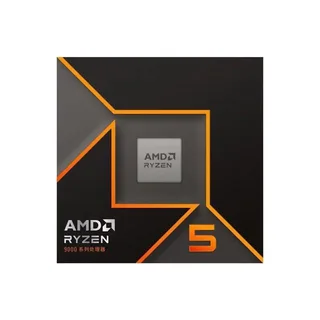
Best value
AMD Ryzen 5 9600X
Buy this one, put the savings toward the GPU. It feeds the 5070 like a chip twice its price.
AMD Ryzen 5 7600X: the cheapest way in
The 7600X is last-gen Zen 4, but it still posts an 85/100 gaming score - only 3 points above the 5070 itself. That makes it a genuinely strong pairing: it pushes the card to its limits at 1440p with CPU headroom to spare, and at ~$210 it's the cheapest processor you can build a competent 5070 rig around. Nobody games at 1440p on this chip and feels shortchanged.
Where it earns its spot has narrowed sharply since the last time we priced this guide. The two chips now sit about ten dollars apart on our tracker - ~$210 against ~$220 - so for a brand-new build there is barely a budget argument left to make. Pay the extra ten dollars, take the three gaming points, the newer architecture and the better efficiency, and don't think about it again.
That leaves the 7600X with exactly one job, and it's still a good one: you already own an AM5 motherboard. A B650 board from an earlier build takes this chip as a painless drop-in, and every dollar not spent on a new platform goes to the GPU instead. As an upgrade path it does the 5070 full justice. As a way to save money on a fresh build, it stopped being one. Go lower than this and you start actually holding the card back.
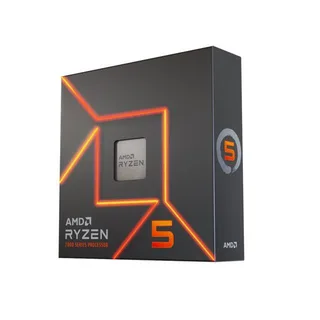
Budget pick
AMD Ryzen 5 7600X
The honest budget floor. Best as a drop-in if a B650 board is already sitting in your case.
Intel Core Ultra 7 265K: the Intel answer
If you'd rather build on Intel, the Core Ultra 7 265K is the pairing that makes sense. On LGA1851 it matches the 9600X's 88/100 gaming score, so at 1440p with a 5070 the two are functionally identical - same headroom, same framerates, same "the GPU is the bottleneck and that's fine" outcome. There's no gaming penalty for going blue here.
What the 265K adds is multi-threaded muscle. If you stream while you play, run a Premiere or Blender project on the side, or just like having cores to spare, Arrow Lake gives you more threaded throughput than a six-core Ryzen 5, and LGA1851 is Intel's current platform with its own upgrade runway. The honest catch is price: at a ~$315 list price (no live first-party listing on our tracker right now) you're paying about $95 more than the 9600X for equal gaming, so pure gamers save money going AMD. But for a builder who wants a do-everything chip - games plus real productivity - and prefers Intel's ecosystem, the 265K is a clean, no-compromise match for the 5070.
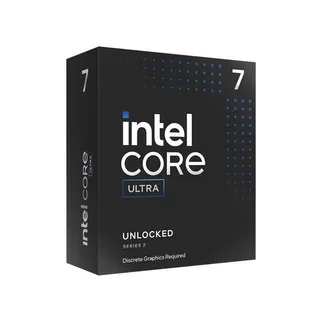
Intel pick
Intel Core Ultra 7 265K
Same 1440p gaming as the 9600X, with extra threads for streaming and creative work.
AMD Ryzen 7 9800X3D: only if you'll actually use it
Let's be clear: the 9800X3D is the fastest gaming CPU on the planet, its 3D V-Cache posts a 99/100 gaming score, and it will never, ever bottleneck a 5070. But that's also the point - it's more CPU than a 5070 can meaningfully use. At 1440p the card is already the limiting factor, so most of that 99-vs-88 gap simply doesn't show up on screen. You're paying roughly 2x the price of a 9600X for frames the GPU can't produce anyway.
The gap becomes real in two situations, and if either is yours, this is the buy. First, high-refresh 1080p in CPU-hungry games - competitive shooters, big-simulation titles like Cities: Skylines 2 or flight sims, MMOs - where the CPU does ~60% of the work and the X3D cache pulls genuinely ahead. Second, future-proofing: if you plan to drop a 5080 or 5090 into this board in a year or two, the 9800X3D is the chip that keeps up with that heavier GPU without a rebuild. Buy it for those reasons. Don't buy it because a chart told you a lower bottleneck percentage is automatically better - for a pure 1440p 5070 build, that extra ~$230 is better spent elsewhere.
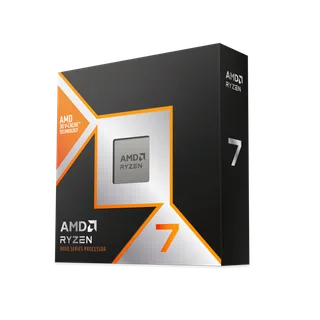
Max performance
AMD Ryzen 7 9800X3D
Overkill for a pure 1440p 5070 - and exactly right if 1080p esports or a future 5090 is the plan.
What not to overspend on
Being straight with you means saying where the money stops working:
- You do not need a Ryzen 9 9950X (or any 16-core chip) for a 5070. Those are productivity processors. In games the 5070 can't exploit the extra cores, and the 9800X3D's cache beats them for gaming anyway. Paying flagship money for a workstation CPU to feed a mid-tier GPU is the most common way people overspend on a 5070 build.
- Don't reach for the 9800X3D by reflex. It's a fantastic chip, but on a pure 1440p build it's ~$230 you could put toward a 5070 Ti, a faster monitor, or a bigger SSD - upgrades you'd actually notice.
- Don't cheap out below the 7600X, either. Older or lower-tier chips - a Ryzen 5 3600, a locked non-K Intel i3, anything from the DDR4 budget bin - genuinely bottleneck the 5070 at 1080p and cost you frames the card paid for. The 7600X is the floor for a reason. Shave a bit off there and you've hobbled a ~$860 GPU.
- Skip the fancy cooler if you land on the 9600X or 7600X. At 65-105W these run fine on a modest air tower. Big AIOs are for the 9800X3D and heavy all-core workloads, not a mid-range gaming build.
The bottom line
The RTX 5070 is a 1440p card, and 1440p is where CPU spending hits diminishing returns fast. For nearly everyone the Ryzen 5 9600X is the right answer: it feeds the card to the same framerates as chips twice its price, sips power, and leaves an AM5 upgrade path open. If a B650 board is already in your case, the Ryzen 5 7600X is a smart, cheaper drop-in that still does the GPU justice.
Step up only for a reason you can name. Choose the Core Ultra 7 265K if you want Intel's platform and real multi-threaded headroom for streaming or creative work. Reach for the Ryzen 7 9800X3D only if you chase high-refresh 1080p in CPU-heavy games or you're planning a bigger GPU on the same board. Buy to the line, not past it, and spend the difference where you'll actually see it.
Want to sanity-check your exact combo? Run it through our free bottleneck checker for real FPS estimates at your resolution, or let the PC builder tool assemble a balanced 5070 rig at your budget.
Related reading
- Best GPU and CPU pairings for 2026 - balanced builds at every budget
- Best GPU to buy in 2026 - the tier-by-tier card breakdown
- What is a CPU bottleneck? - the concept behind the pairing math
- Ryzen 9850X3D vs 9800X3D - whether the top X3D is worth chasing
- RX 9070 XT vs RTX 5070 Ti - if you're weighing a step up from the 5070
Found this useful? Pass it along:
Frequently Asked Questions
What is the best CPU for the RTX 5070?
For a 1440p RTX 5070 build the Ryzen 5 9600X at ~$220 is the sweet spot - it feeds the card fast enough to hit the same GPU-limited framerates as chips costing twice as much. The Ryzen 7 9800X3D (~$449) is the fastest gaming CPU you can buy and scores 99/100, but you only need it if you also chase high-refresh 1080p or plan to drop in a bigger GPU later.
Will the RTX 5070 bottleneck with a budget CPU?
It depends on the CPU. A modern budget chip like the Ryzen 5 9600X or i5-14400F will run the 5070 just fine at 1440p with minimal bottleneck. But if you're on something older like a Ryzen 5 3600, you'll definitely leave performance on the table, especially at 1080p.
Is the Ryzen 5 9600X good enough for the RTX 5070?
Absolutely. The 9600X scores 88/100 in gaming and pairs well with the 5070's 82/100 score. You'll get a balanced system at 1440p with virtually no bottleneck. It's honestly the sweet spot for most people who don't want to spend ~$449 on a CPU.
Should I get Intel or AMD for the RTX 5070?
AMD is the better pick right now. The 9600X and 9800X3D both outperform their Intel counterparts at similar or lower prices. Intel's Arrow Lake chips are fine but they cost more for less gaming performance. Unless you specifically need Intel for something, go AMD.