How to Build a Budget Gaming PC in 2026 (Step-by-Step)
Some links in this guide are affiliate links - we may earn a commission at no extra cost to you.
Let's be honest about what "budget" means in 2026: it costs more than it used to. A machine that ran $550 two years ago is closer to $875 today, and almost none of that jump is the fun stuff. Your graphics card and processor - the parts that actually decide how your games look and feel - are priced about where you'd expect. It's the boring supporting cast, memory and storage, that quietly ate your savings. So the first skill in building cheap this year is setting expectations you won't be disappointed by.
The culprit is the 2026 memory and NAND crunch. DDR5 kits are running three to five times what they cost in 2024, and SSD prices climbed right alongside them. A year ago the RAM and drive were rounding errors in a budget build; now they can be a quarter of the total. Waiting it out isn't much of a plan either - memory pricing is the floor under everything, and that floor isn't cracking before 2027. The parts on shelves today are good for years, so the move is to buy smart now, not to hold out for a crash that keeps not coming.
The good news is that budget building still works, you just have to spend deliberately. Put the money where the frames are - the GPU first, then a CPU strong enough not to hold it back - and refuse to overspend on the parts that don't change your framerate. Get that split right and a genuinely good 1080p or entry-1440p PC is still very much within reach. This guide walks the whole build in that order, with real prices and the honest tradeoffs at each step.
How we build: we track street prices on hundreds of parts and re-check the ones that matter against live Amazon and Newegg listings, so the numbers here are what things actually cost this week, not last year's MSRP. Every pick is chosen for real performance-per-dollar in a build that has to balance, not for a spec sheet.
The short version: pick the GPU and CPU first, because together they're roughly 80% of gaming performance, then build the rest around them. For a sharp 1080p build on a tight budget, an AMD Ryzen 5 5600 with an AMD RX 7600 is the cheapest capable way in. If the budget stretches to a fresh AM5 platform with an upgrade path, a Ryzen 5 7600X fed by an RX 9070 lands around $800 for the two headline parts and holds 1440p comfortably. Plan on $700-900 all-in for 1080p or $1,500-1,800 for 1440p, and run whatever pair you land on through the bottleneck checker so neither part strangles the other.
What a budget build costs in 2026
Here's where the money actually goes on a representative 1080p build that punches above its price. These are the street prices our tracker is seeing this week. Free to cite with a link to bottleneckpc.com.
| Component | ~Price |
|---|---|
| CPU - Ryzen 5 5600 | ~$110 (last seen) |
| GPU - RX 7600 | ~$240 |
| RAM - 16GB DDR4-3200 | ~$140 |
| Motherboard - B550 | ~$80 |
| Storage - 1TB NVMe | ~$190 |
| Power supply - 550W 80+ Bronze | ~$55 |
| Case - mid-tower ATX | ~$60 |
| Total | ~$875 |
The thing to notice is where the crisis shows up. The CPU and GPU together are less than half the bill, exactly as they should be. Memory and storage now account for about $330 of a sub-$900 machine - money that in 2024 would have been closer to $70. That's the tax, and knowing where it lands is what keeps you from cutting the wrong corner to dodge it.
Step 1: The GPU (spend here first)
Your graphics card does the heavy lifting in games, especially at 1440p and above, so it should be the biggest single line in the budget and the part you compromise on last. The honest tradeoff at the low end is VRAM: 8GB cards like the RX 7600 are perfectly good 1080p performers today, but that buffer is the spec most likely to feel tight in a couple of years, so if you can reach a 12GB or 16GB card the longevity is worth it. Resist the urge to skimp on the GPU to fund a fancier motherboard or RGB fans - that trade always makes your build slower.
For a lean 1080p build, the RX 7600 keeps the whole machine cheap while still running modern games at high settings. Step up to the RTX 5060 Ti (get the 16GB version, never the 8GB) for a real 1440p card with DLSS and frame generation on tap - though as we write it is down to a single live listing at ~$830, so price the RX 9060 XT 16GB at ~$520 against it before you commit. And if the budget stretches, the RTX 5070 opens up high-refresh 1440p and entry-level 4K. Match the card to your monitor, not to bragging rights.
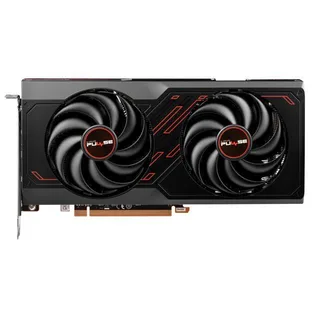
Budget 1080p GPU
AMD RX 7600
A solid 1080p card that keeps the whole budget build cheap.
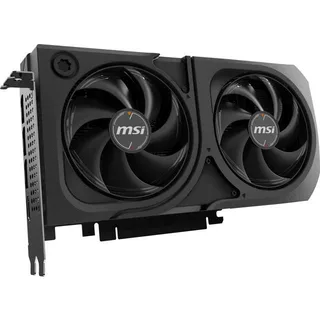
1440p Sweet Spot GPU
NVIDIA RTX 5060 Ti 16GB
A real 1440p card, but a scarcity price as we write: one live listing at ~$830. Make sure the box says 16GB, and check the RX 9060 XT 16GB at ~$520 first.
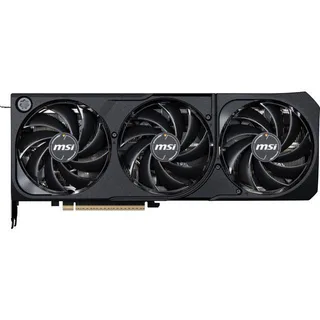
High-Refresh 1440p GPU
NVIDIA RTX 5070
Steps up to high-refresh 1440p and entry-level 4K when the budget stretches.
Step 2: The CPU (enough, not more)
The CPU's job in a gaming build is to keep the graphics card fed, and the trap is overspending on cores you'll never use for games. A modern six-core chip is plenty for the GPUs in this price range, so the real decision is platform, not raw power. AM4 is the budget escape hatch: the Ryzen 5 5600 is old on paper and completely fine in practice for 1080p, and it rides on cheap boards and cheaper DDR4. The catch is that AM4 is a dead end - what you build is what you keep.
AM5 costs more up front because it demands pricier DDR5, but the Ryzen 5 7600X buys you a live upgrade path: you can drop a faster chip into the same board years from now without rebuilding the whole machine. That future-proofing is the real product. Whichever you pick, don't reach for an X3D or a Ryzen 9 on a budget 1080p build - the gaming gain over a 7600X is small and the money is far better spent on the GPU. Match the CPU to the card, confirm the pair balances, and move on.
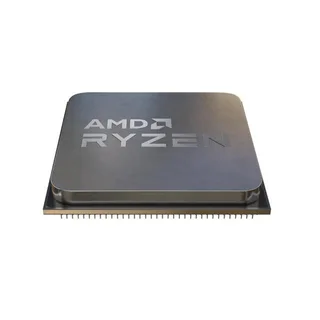
Cheapest Way In
AMD Ryzen 5 5600
The cheapest way onto a capable gaming platform, and still plenty of CPU for 1080p.
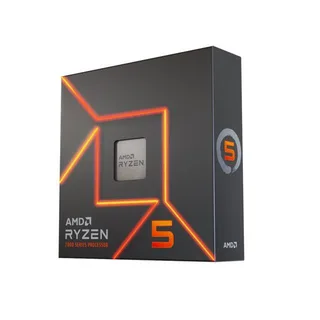
Value Sweet Spot CPU
AMD Ryzen 5 7600X
The value sweet spot for a fresh AM5 build with a real upgrade path down the road.
Step 3: RAM (the painful part)
This is where the memory crisis hits hardest, and there's no way to spin it. DDR5 is running three to five times its 2024 price, so a 32GB DDR5-6000 kit that once cost around $75 now runs $400 or more - often the single most expensive part in the build after the GPU. That reality changes the calculus. On a budget 1080p machine, sticking with AM4 and a 16GB DDR4-3200 kit at roughly $140 is genuinely the smart play: it's not cheap anymore, but it's a fraction of DDR5, and the gaming difference at 1080p is minimal.
If you're building fresh on AM5, you're paying the DDR5 tax whether you like it, so at least buy it right. Get 16GB now if the budget is truly tight - though as of mid-September there is no in-stock brand-name 16GB DDR5-6000 kit on our tracker at all, so check the ship date on whatever the search turns up - and add a second kit later when prices ease. If you can swallow the 32GB DDR5-6000 kit at ~$400, it's the more future-proof choice. One rule that never changes: always run two sticks for dual-channel. A single stick leaves real performance on the table for no savings.
Step 4: Storage (don't buy too small)
Storage used to be the easy, cheap afterthought of a build. Not in 2026 - the same NAND crunch that wrecked RAM prices pushed SSDs up right alongside it, so you have to budget more here than instinct says. The temptation is to grab the smallest, cheapest drive to claw back money for the GPU. Don't. A 500GB drive at $90-110 fills up almost immediately once you install Windows and two or three modern games that now run 100GB-plus each, and then you're shopping for a second drive at these same inflated prices.
The right budget target is a 1TB NVMe drive at roughly $190. It's the sensible floor for a gaming PC today and worth the step up from 500GB. If you keep a big library installed, a 2TB NVMe drive runs around $360 and saves you the hassle later. You don't need a flashy PCIe 5.0 drive for gaming - a solid Gen 4 NVMe loads games just as fast in practice and costs less. Just don't undershoot on capacity to save $80 or so; you'll regret it inside a month.
Step 5: Motherboard (don't overspend)
The motherboard is the easiest place to save without losing anything you'll notice. Its job is to match your CPU socket and provide the connectivity you actually use - a couple of M.2 slots, enough USB, and stable power delivery for a six-core chip. A basic B-series board does all of that. The expensive X-series boards buy you extreme overclocking headroom and a pile of ports that a budget build never touches, so paying up here is money taken straight from your GPU budget.
Match the socket to your CPU and buy the cheapest reputable board that has the ports you need. On AM4, a B550 board starts around $80. On AM5, a B650 board starts around $140. Both give you everything a budget gaming rig needs, upgrade path included on AM5.
Step 6: Power supply (never the corner to cut)
The PSU is the one budget part where cheaping out can literally destroy the rest of your build. A bargain-bin unit with bad voltage regulation can take your GPU and motherboard with it when it fails, so this is the component where spending an extra $20-30 is always the right call. Buy a unit from a reputable brand with an 80+ Bronze rating at minimum, and don't undersize it - leave headroom for the GPU's power spikes rather than running a cheap supply at its ragged limit.
For a budget 1080p build, a quality 550W 80+ Bronze unit around $55 is plenty. Stepping up to a mid-range card, a 650W 80+ Gold unit at roughly $80 gives you clean power and room to grow. This is protection for every other dollar in the build - treat it that way.
Step 7: Case (airflow over looks)
The case is where you're allowed to have a little fun, as long as you prioritize airflow over aesthetics. A mesh front panel matters far more than glass or RGB - it's the difference between a card that runs cool and one that throttles under load. Beyond that, make sure it fits your GPU length and has room for a couple of intake fans, and you're set. There's no performance penalty for buying cheap here, only for buying pretty-but-suffocating.
A solid mid-tower ATX case with a mesh front runs $60-90 and does everything a budget build needs. Cable management is purely cosmetic - your PC does not care - so don't pay extra chasing it.
Where NOT to cut corners
Almost everything in a budget build has some give. Two things don't:
- The power supply. This is the corner people cut to save $25, and it's the one that can cost them the whole machine. A failing cheap unit doesn't just die quietly - it can drag your GPU and motherboard down with it. Buy a reputable 80+ Bronze-or-better supply with a bit of wattage headroom, every time. The savings on a no-name unit are never worth the risk to a $240-plus graphics card.
- Storage that's too small. A 500GB drive looks like an easy $80-100 saving until Windows and three modern games fill it in a week, and then you're buying a second SSD at 2026's inflated prices anyway. Start at 1TB. It's the floor that saves you money over the life of the build, not the place to economize.
Everything else - the board, the case, the exact RAM speed - you can trim. These two you protect.
The bottom line
Building on a budget in 2026 is still absolutely worth doing; you just walk in clear-eyed that the memory crisis added a couple hundred dollars to the same machine you'd have built two years ago. That total lands around $875 for a capable 1080p build and $1,500-1,800 once you move to 1440p, and the split matters more than the sticker. Put the money in the GPU, back it with a CPU that's strong enough and no stronger, buy a drive you won't outgrow and a PSU you can trust, and refuse to overpay for the parts that don't touch your framerate.
Do that and the inflated RAM and storage prices sting but don't sink you. The parts on shelves today are good for years, waiting for a price crash is a losing bet, and a well-balanced budget build will still smoke a same-price prebuilt. Pick your two headline parts, check that they balance, and go build it.
Related reading
- Budget PC builder tool - generate a complete, optimized parts list at your exact budget with live prices
- Best GPU to buy in 2026 - the full tier-by-tier breakdown of what to actually get
- RAM and SSD prices in 2026: buy now or wait? - the memory crisis explained, and whether it pays to hold out
- Not sure your CPU and GPU balance? Run the pair through our free bottleneck checker before you buy.
Found this useful? Pass it along:
Frequently Asked Questions
How much does it cost to build a budget gaming PC in 2026?
You can build a solid 1080p gaming PC for $700-900 right now, or a 1440p machine for $1,500-1,800. RAM and SSD prices are inflated thanks to the memory shortage, which adds about $200-300 to what you'd normally spend. CPUs are still reasonably priced; GPUs have crept up this summer too.
What is the best budget GPU for gaming in 2026?
The RX 9070 at around $590 is the best value GPU right now. If that's too much, the RX 7600 at ~$240 handles 1080p well. On the NVIDIA side, the RTX 5070 at ~$860 is solid but AMD gives you a lot more for less in the mid-range.
Is DDR4 still worth it for a budget gaming build?
Only if you already have it. New DDR4 platforms are dead-end - no upgrade path. If you're building fresh, go DDR5 on AM5 even though RAM costs more. You'll thank yourself later when you want to drop in a faster CPU without replacing the whole platform.
What parts should I not cheap out on in a budget build?
The power supply and the CPU cooler. A bad PSU can fry your whole system, and a bad cooler means thermal throttling. Everything else has some wiggle room, but those two are worth spending an extra $20-30 on.
How much does a budget gaming PC cost in 2026?
A solid 1080p budget PC build runs $700-900 in 2026, and a 1440p build lands around $1,500-1,800. Inflated RAM and SSD prices add roughly $200-300 versus a year ago, but CPUs are still good value. A Ryzen 5 7600X plus an RX 9070 is a great mid-budget combo right around $800 before the rest of the parts.
What is the best budget CPU and GPU combo for 2026?
For a balanced budget PC build in 2026, pair a Ryzen 5 7600X (or the cheaper 5600 on AM4) with an RX 9070. That combo balances CPU performance and budget without a bottleneck at 1440p. If you're feeding a used mid-range GPU, a B550/B650 board plus a 5600 or 7600X keeps the CPU from holding back the card. Always run the pairing through our bottleneck checker first.